Claude Code Agentic Stack: cc-switch & claude-context MCP
Set up the full 2026 agentic developer stack with Claude Code, cc-switch CLI manager, and claude-context semantic code search MCP. Step-by-step guide.
ComputeLeap Team
Claude Code just won a Webby Award for Best Product or Service in AI Features & Innovation. Boris Cherny, Claude Code's PM at Anthropic, announced the win on X to a wave of congratulations from the developer community:

But the real story isn't the trophy — it's what's happening in the GitHub repos trending alongside it.
Two repos hit the GitHub Trending page on the same day as the Webby announcement: cc-switch (+665 stars in 24 hours, 48,667 total) and claude-context (+873 stars). Both extend Claude Code's capabilities significantly — and together with a properly configured CLAUDE.md, they represent what serious agentic developer stacks look like in 2026.
This guide covers exactly how to set up both tools and wire everything together for maximum development velocity.
What the "Agentic Developer Stack" Actually Means in 2026
In the 2026 context, an agentic developer stack has three layers:
- Provider management — switch between Claude Code, Codex, Gemini CLI, OpenCode, and other AI coding tools from a single interface, sharing provider configs, MCP servers, and skills
- Codebase context — give your AI agent deep semantic understanding of your entire codebase, not just the files currently open
- Agent configuration — the
CLAUDE.mdfiles, skills, and subagent definitions that turn Claude Code from a general-purpose tool into a domain-specific engineering partner
According to Anthropic's 2026 Agentic Coding Trends Report, teams using structured CLAUDE.md configs and subagent workflows report 2-4x velocity improvements over baseline Claude Code usage. The tools in this guide enable exactly that configuration.
Layer 1: cc-switch — Unified Provider Management
What cc-switch Does
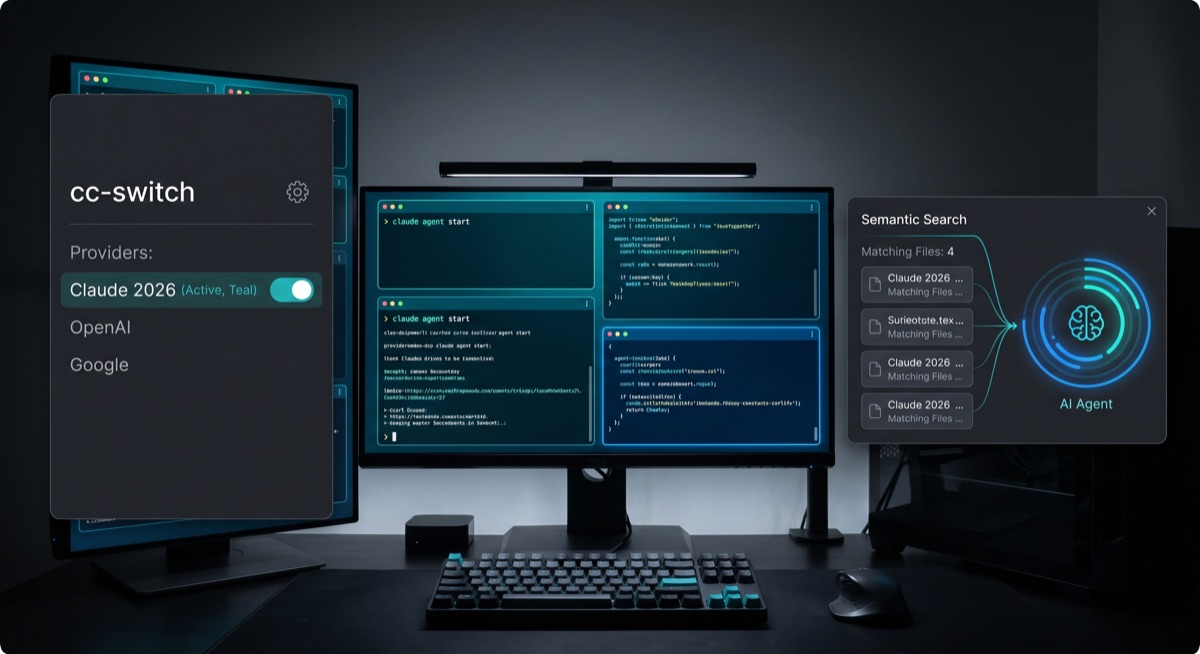
cc-switch is a cross-platform desktop app built with Tauri and Rust that unifies management of five AI coding CLI tools: Claude Code, OpenAI Codex, Gemini CLI, OpenCode, and OpenClaw. Instead of maintaining separate configuration files and MCP server setups for each tool, cc-switch provides a single interface that syncs settings bidirectionally.
Key features:
- 50+ built-in provider presets — one-click import of API configurations for Anthropic, OpenAI, Gemini, xAI, Mistral, and more
- System tray quick switch — instant provider switching without opening a terminal
- Unified MCP & Skills Management — install MCP servers and skills once, sync across all four apps
- Cloud sync — settings sync via Dropbox, OneDrive, iCloud, or WebDAV servers
- Usage dashboard — track spending, request counts, and token consumption per provider
- Cross-platform — Windows, macOS, and Linux support
cc-switch is built with Tauri (Rust-based) for native performance — not an Electron wrapper. Cold launch is under 200ms and system tray switching responds in under 50ms. This matters when you're switching between providers dozens of times a day.
Installing cc-switch
macOS:
brew install --cask cc-switch
Or download the latest release from cc-switch/releases — .dmg for macOS, .exe for Windows, .AppImage for Linux.

cc-switch --version
Initial Setup: Provider Configuration
On first launch, cc-switch walks you through connecting your providers:
- Open cc-switch from the system tray or Applications folder
- Click Providers → Add Provider
- Select from the preset list (Anthropic, OpenAI, Gemini, etc.) or add a custom provider
- Paste your API key — cc-switch stores it in your OS keychain, not in plain text
- Test the connection with the Verify button
For Claude Code, cc-switch automatically detects your existing ~/.claude/ configuration and imports it. Your existing settings, custom commands, and history are preserved.
Setting Up MCP Servers in cc-switch
The real power of cc-switch is managing MCP servers across all your coding tools simultaneously. Instead of configuring the same MCP server four separate times, you configure it once and cc-switch deploys to all connected tools:
cc-switch mcp add --name "claude-context" \
  --command "npx" \
  --args "-y @zilliztech/claude-context" \
  --scope all-tools
Layer 2: claude-context MCP — Semantic Codebase Search
Why Codebase Context Is the Biggest Bottleneck
When you ask Claude Code to modify a function that depends on types defined in five other files, Claude Code has to either load all five files into context (expensive) or try to infer the types from what it can see (error-prone). claude-context solves this with semantic search over your entire codebase.
Instead of loading full files, it retrieves only the semantically relevant code snippets. According to Augment Code's MCP registry benchmarks, claude-context achieves approximately 40% token reduction under equivalent retrieval quality conditions.
How claude-context Works
claude-context uses a hybrid search approach:
- BM25 — lexical matching (finds exact variable names, function signatures)
- Dense vector search — semantic matching (finds conceptually related code even with different naming)
Your codebase is indexed into a Milvus vector database (local) or Zilliz Cloud (managed). The index uses AST-aware chunking — it understands code structure at the syntax level. Function bodies, class definitions, and interface declarations are kept semantically intact.
claude-context uses incremental Merkle-tree-based indexing. After the initial index build, only changed files are re-indexed. For a mid-size repo (50K LOC), re-indexing typically completes in under 5 seconds after a git pull.
Installing and Configuring claude-context
Prerequisites: Node.js 18+ and a running Milvus instance (local Docker) or Zilliz Cloud account.
npm install -g @zilliztech/claude-context
claude-context init   # configure vector DB + embedding provider
cd your-project && claude-context index .
Register with Claude Code:
{
  "mcpServers": {
    "claude-context": {
      "command": "npx",
      "args": ["-y", "@zilliztech/claude-context", "serve"],
      "env": {
        "MILVUS_URI": "http://localhost:19530",
        "EMBEDDING_PROVIDER": "openai",
        "OPENAI_API_KEY": "${OPENAI_API_KEY}"
      }
    }
  }
}
Or use cc-switch's MCP manager (recommended) — it handles the configuration and syncs it across all your AI coding tools automatically.

Using claude-context During Development
Once installed, claude-context adds a search_codebase tool to Claude Code. You can invoke it explicitly:
Use the search_codebase tool to find all implementations of the PaymentProcessor interface before modifying it.
Or Claude Code will invoke it automatically when understanding more of the codebase would improve its response.
For large monorepos, create a .claude-context-ignore file (similar to .gitignore) to exclude generated files, node_modules, build artifacts, and test fixtures. This keeps the index clean and retrieval precise.
Layer 3: CLAUDE.md Configuration — Making It All Stick
Having great tools is only half the equation. The other half is configuring Claude Code to use them intelligently. This is where CLAUDE.md comes in — and where most developers leave significant productivity on the table.
For the fundamentals, see our Claude Code Complete Guide. This section focuses on configuration patterns specific to the 2026 agentic stack.
The Role of CLAUDE.md in an Agentic Stack
CLAUDE.md is the document Claude Code reads at the start of every session. According to the MindStudio guide on Agentic Business OS architecture, it's the "foundational document for your brand context layer — it defines what every agent knows before it starts any task."
Use it to tell the agent:
- Which MCP servers are available and when to use them
- Your coding standards and conventions
- When to spawn subagents vs. work in the main context
- What tools to reach for first
Sample CLAUDE.md for the 2026 Agentic Stack
# Project: [Your Project Name]

## Stack
- Language: TypeScript 5.4 (strict mode)
- Runtime: Node.js 22 LTS
- Package manager: pnpm

## MCP Servers Available
- **claude-context**: Use `search_codebase` before modifying any class, interface,
  or utility function that may have downstream consumers. Always search before refactoring.
- **chrome-mcp**: Available for UI verification tasks.

## Coding Standards
- Functions: single responsibility, <=50 lines
- No `any` types — use `unknown` + type guards
- Tests: co-located `.test.ts` files, Vitest
- Commits: conventional commits format

## Subagent Rules
- Spawn a subagent (with worktree isolation) for: feature branches, large refactors, research
- Keep the main context for: interactive debugging, short edits, Q&A

## Agent Workflow
1. Search codebase (claude-context) before modifying shared code
2. Write tests before implementation for new features
3. Run `pnpm build` and `pnpm test` before committing
This pattern — explicitly naming available MCP servers and when to use subagents — is what separates teams that get 2-4x velocity gains from teams that treat Claude Code as smart autocomplete.
For detailed CLAUDE.md patterns, see Karpathy's CLAUDE.md template analysis.
Subagent Setup with Worktree Isolation
For complex features requiring parallel workstreams, the official subagent documentation provides the full setup. The key pattern:
---
name: feature-agent
description: Use for implementing new features across multiple modules
isolation: worktree
tools: [read, edit, write, bash, search_codebase]
---

You are a focused implementation agent. Use search_codebase to understand
existing patterns before writing new code. Work in the isolated worktree.
Setting isolation: worktree gives the subagent its own copy of the repository, preventing conflicts when multiple agents work in parallel. For more on this, see the Claude Code best practices guide.
The Pricing Context: What the Pro Plan Controversy Means for Your Setup
On April 21, 2026, Anthropic briefly removed Claude Code from the $20/month Pro plan listing — prompting a 2,648-upvote Reddit thread and coverage in The Register and XDA Developers. Simon Willison's analysis described it as an "A/B test on ~2% of new prosumer signups." Anthropic reversed the change the same day — existing Pro and Max subscribers are not affected.

But the incident reveals the underlying tension: Claude Code sessions with Claude Opus 4.7 run up to three times longer than on 4.6, and inference costs are escalating.
If you're building agentic workflows with long Claude Code sessions, budget for the Max plan ($100/month for 5x). Agentic sessions — especially with subagents and frequent claude-context queries — consume context much faster than interactive sessions. Use cc-switch's usage dashboard to track token consumption and catch runaway workflows before they hit billing limits.
The Full Stack Setup Sequence
1. Install Claude Code:
npm install -g @anthropic-ai/claude-code
export ANTHROPIC_API_KEY=your_key_here
2. Install cc-switch:
brew install --cask cc-switch
# Or: github.com/farion1231/cc-switch/releases
3. Import your existing Claude Code config — cc-switch auto-detects ~/.claude/ on first launch.
4. Install and configure claude-context:
npm install -g @zilliztech/claude-context
claude-context init
cd your-project && claude-context index .
5. Register claude-context MCP via cc-switch → MCP → Add Server → scope: All Tools.
6. Write your CLAUDE.md in your project root using the template above.
7. Define subagents in .claude/agents/ — start with a feature-agent and a research-agent.
8. Test the full stack:
claude
# Ask: "Search the codebase for the authentication flow and explain it"
# claude-context should invoke automatically
What's Next in the Ecosystem
A few things worth watching:
- cc-switch's cloud sync is expanding to git-based sync, enabling team-wide provider config sharing
- claude-context's offline mode (tracking in Issue #162) would enable fully local indexing without an external vector database
- MCP Tool Search (launched January 14, 2026) allows Claude Code to dynamically load tools into context when MCP servers have 50+ tools — reducing context pressure from large MCP setups
The underlying trend is clear: Claude Code has crossed from "developer tool" to "developer platform." The Webby Award is the cultural marker. The GitHub trending repos are the technical evidence. Setting up this stack today puts you in front of the curve.
Summary
| Tool | Purpose | GitHub |
|---|---|---|
| cc-switch | Unified provider + MCP management desktop app | farion1231/cc-switch |
| claude-context | Semantic codebase search MCP | zilliztech/claude-context |
| CLAUDE.md | Agent configuration and context file | shanraisshan/claude-code-best-practice |
For the full Claude Code foundation, read the Claude Code Complete Guide. For browser automation integration, see Chrome's built-in MCP server guide.
Sources: cc-switch GitHub · claude-context GitHub · Webby Awards 2026 · Simon Willison · The Register · XDA Developers · Anthropic Subagent Docs · MindStudio Agentic OS · Anthropic 2026 Agentic Coding Trends
ComputeLeap Team
The ComputeLeap editorial team covers AI tools, agents, and products — helping readers discover and use artificial intelligence to work smarter.
Join the discussion
Have thoughts on this article? Discuss it on your favorite platform:
Related articles
Run GLM-5.2 Locally: The Open Model Nobody Can Ban
GLM-5.2 ships 744B params under MIT license. Here's the hardware you need, the quant that fits, and the setup for llama.cpp, Ollama, and LM Studio.
DeepSeek-TUI Setup Guide: Rust Coding Agent on V4 Flash
Install DeepSeek-TUI, configure V4 Flash, run your first session, and decide when to use it vs Claude Code or cc-switch routing.
Cut Claude Code Token Costs 60-90% With rtk: Hands-On Guide
Stop dumping raw terminal output into Claude Code's context. rtk is a Rust CLI proxy that filters git, cargo, and npm output for 60-90% savings.