Claude Code Remote Tasks: Run AI Agents 24/7
Anthropic's cloud-hosted scheduled tasks for Claude Code. Run your AI agent on their servers 24/7 — setup, MCP servers, and workflow automation.
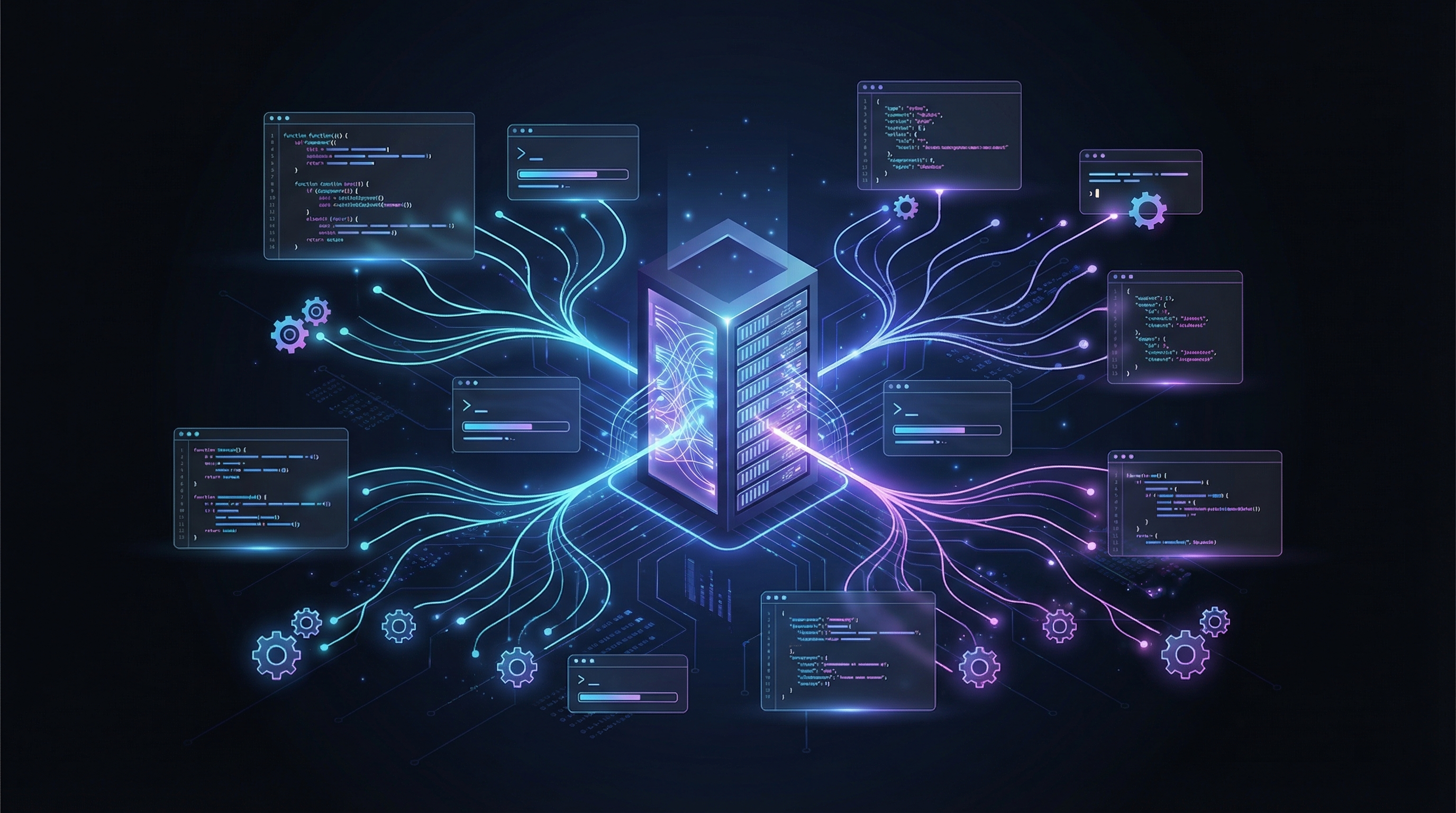
Your AI coding agent just got its own server.
On March 20, 2026, Anthropic quietly shipped the most consequential update to Claude Code since launch: Remote Tasks. You can now define a GitHub repo, write a prompt, set a schedule, and Claude runs it autonomously on Anthropic's cloud infrastructure. Your laptop doesn't need to be open. Your terminal doesn't need to be running. The agent works while you sleep.
This isn't a minor CLI feature. Combined with Channels (Telegram/Discord messaging for Claude Code) and MCP server integration (Sentry, Gmail, Google Calendar), Anthropic is building something much bigger than a coding assistant. They're building a hosted agentic platform — and they're the cloud provider.
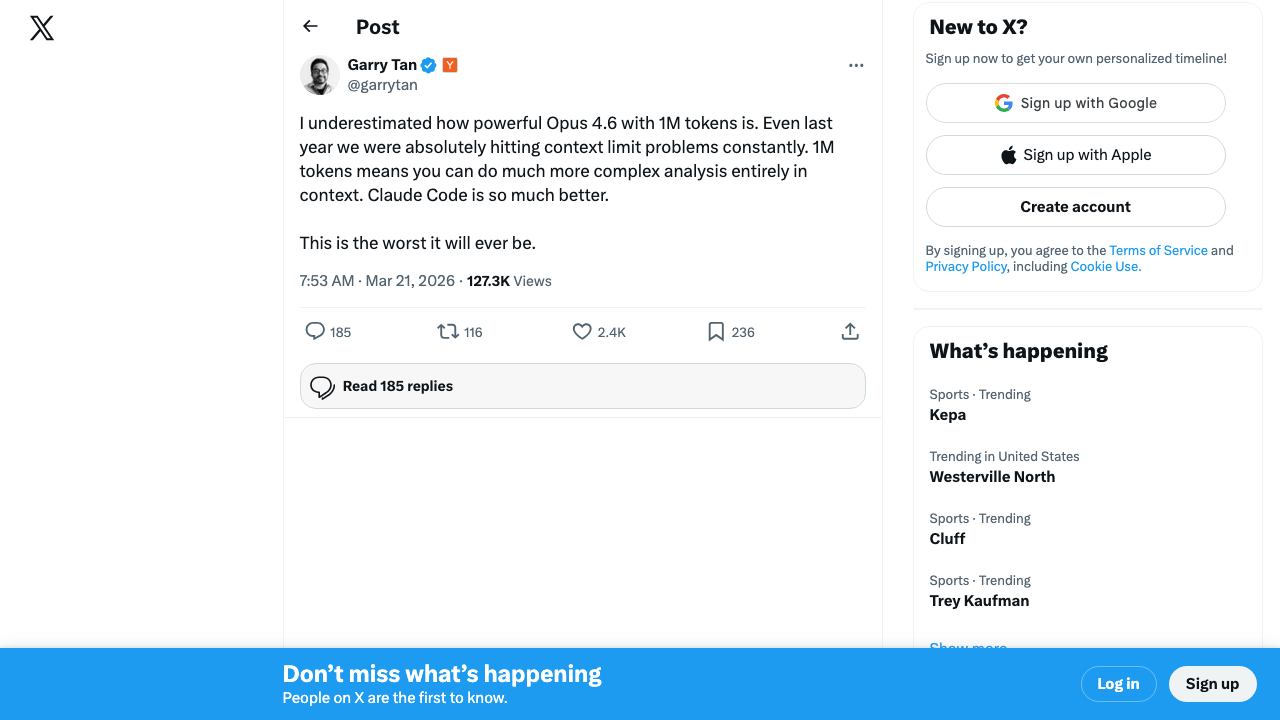
The developer reaction has been immediate. Garry Tan — Y Combinator's president, who's been building agentic coding tools — called it a step function improvement:
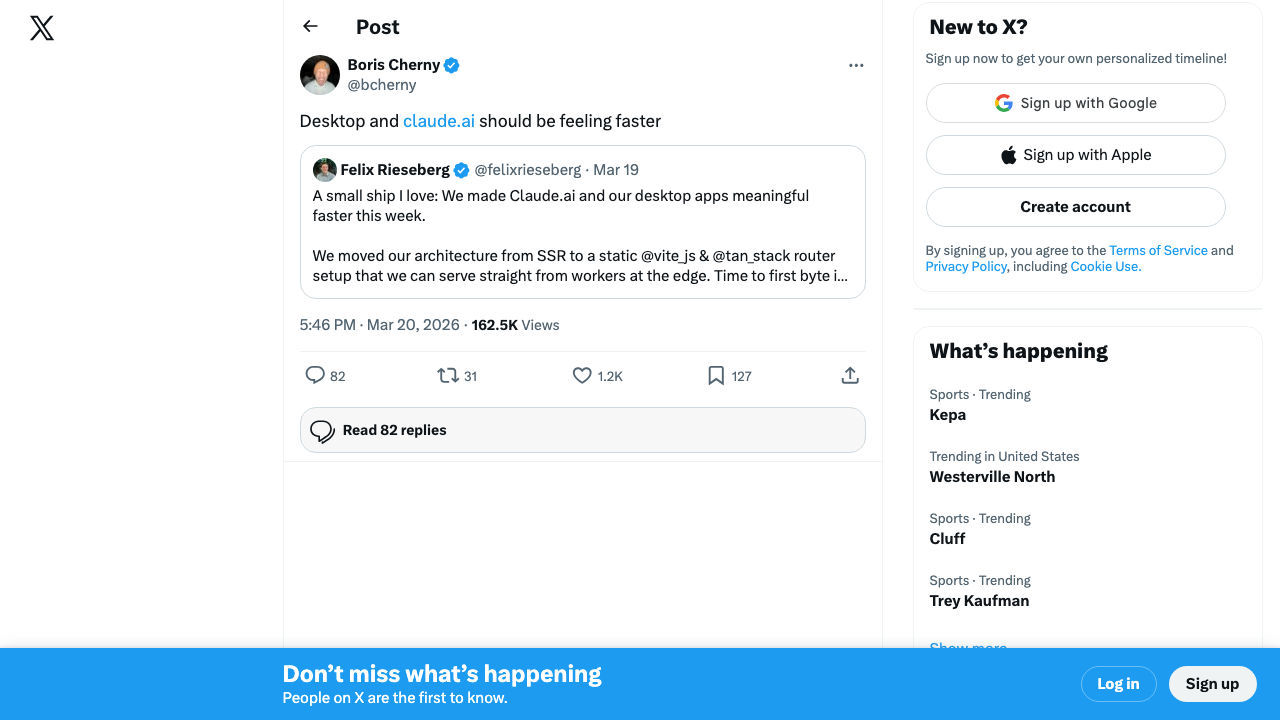
Meanwhile, Anthropic's own Boris Cherny confirmed they're shipping infrastructure improvements to support the new cloud workloads:
What Changed: From Local CLI to Cloud Agent
Before this week, Claude Code was fundamentally local-first. You ran it in your terminal. It read your files. It executed on your machine. If you closed your laptop, the agent stopped. This was the model since launch — powerful, but tethered.
Now Anthropic offers three execution environments:
| Environment | Where It Runs | Machine Needed? | Survives Restart? |
|---|---|---|---|
| Local (CLI) | Your terminal | Yes | No |
| Remote Session | Anthropic cloud | No | Yes |
| Scheduled Task | Anthropic cloud | No | Yes — runs on cron |
Remote Sessions let you start a task from Claude Code Desktop, close your laptop, and check back later. The session continues on Anthropic's infrastructure. You can monitor it from claude.ai/code or the Claude iOS app.
Scheduled Tasks go further: define a prompt + schedule, and Claude runs it on a recurring cron. Every hour. Every Monday at 9 AM. Every night at midnight. No human in the loop at all.
The combination is what makes this transformative. Scheduled tasks that connect to MCP servers (Sentry, GitHub, Slack, Gmail) create autonomous workflows that used to require custom bots, CI pipelines, or dedicated infrastructure.
Watch Ray Amjad's full walkthrough of Claude Code Remote Tasks — this is the best technical breakdown available:
How to Set Up Scheduled Tasks
There are two flavors of scheduled tasks, depending on where you want them to run:
1. Session-Scoped Tasks (CLI)
These run inside your current Claude Code terminal session. They're fast to set up but die when you close the session.
# Quick scheduling with /loop
/loop 5m check if the deployment finished and tell me what happened

# One-shot reminder
remind me at 3pm to push the release branch

# Loop over another skill
/loop 20m /review-pr 1234
Under the hood, Claude uses CronCreate, CronList, and CronDelete tools. You can schedule up to 50 tasks per session. All times are local timezone.
2. Desktop Scheduled Tasks (Cloud-Hosted)
These are the game-changer. From Claude Code Desktop:
- Open Claude Code Desktop and navigate to a project
- Select "Remote" environment instead of "Local"
- Connect your GitHub repo — Claude clones it into the cloud session
- Write your prompt — what should Claude do each time?
- Set the schedule — cron expression or natural language ("every Monday at 9 AM")
- Deploy — Claude runs on Anthropic's infrastructure, even if you close everything
Schedule: 0 9 * * 1
Repo: github.com/yourorg/backend
Prompt: Query Sentry for the top 5 unresolved performance issues
from the past week. For each one, analyze the trace data, identify
the root cause, and open a PR with the fix. Maximum 3 PRs per run.
The scheduled task runs in a fresh Claude Code session with full access to your MCP servers and shell. It can read files, write code, run tests, create branches, open PRs, and push to GitHub — all unattended.
Maximum 2 PRs per run) so your review queue doesn't get flooded. Review the first few runs manually before trusting it fully.MCP Server Integration: The Force Multiplier
Scheduled tasks become genuinely powerful when you connect them to MCP (Model Context Protocol) servers. MCP is Anthropic's protocol for giving Claude structured access to external tools and data.
Here's what's available today:
Sentry — Automated Bug Triage
The Sentry MCP server gives Claude read-only access to your issues, traces, spans, and Seer (Sentry's AI debugging agent) analysis.
# Add Sentry MCP to Claude Code
claude mcp add --transport http sentry https://mcp.sentry.dev/mcp
Then schedule a weekly performance triage:
Schedule: 0 9 * * 1  (every Monday 9 AM)
Prompt:
1. Query Sentry for the top 5 slowest endpoints from the past week
2. For each, pull trace details and run Seer root cause analysis
3. If Seer suggests a fix, create a branch and open a PR
4. If no fix is available, open a GitHub issue with the analysis
5. Maximum 2 PRs per run
This replaces a manual weekly triage ritual that most teams either skip or do badly. Sentry themselves published a complete cookbook for this exact workflow.
Gmail + Google Calendar — Context-Aware Scheduling
Connect Gmail and Google Calendar MCP servers to create agents that understand your work context:
- Meeting prep agent: Before each meeting, summarize relevant threads, pull in recent PRs, generate talking points
- Follow-up agent: After standup, create tickets for action items mentioned in the calendar description
- Inbox triage: Scan for emails from specific senders, extract action items, create GitHub issues
GitHub — CI/CD Automation
Claude Code already has deep GitHub integration through the gh CLI and the Claude Code GitHub Actions. Scheduled tasks add a new dimension:
- CI failure responder: Every 30 minutes, check for failed CI runs. If a failure is detected, analyze the logs, attempt a fix, push to a branch, and notify via Slack
- Dependency auditor: Weekly, scan
package.json/requirements.txtfor outdated or vulnerable dependencies. Open a PR with updates that pass all tests - Documentation sync: After any merged PR that touches API endpoints, regenerate the API docs and update the README
The "AWS Lambda for AI Agents" Framing
Here's why this matters beyond the feature itself.
What Anthropic has built — when you combine Remote Sessions, Scheduled Tasks, Channels, and MCP — is a serverless compute platform for AI agents. The parallels to AWS Lambda are striking:
| AWS Lambda | Claude Code Remote Tasks |
|---|---|
| Event-driven execution | Cron + Channel-triggered execution |
| Serverless — no infra to manage | Cloud-hosted — no machine needed |
| Connects to AWS services (S3, SQS, etc.) | Connects to MCP servers (Sentry, GitHub, etc.) |
| Pay per invocation | Pay per API usage |
| Runs your code | Runs your prompts |
The difference: Lambda runs deterministic code. Claude runs probabilistic intelligence. Lambda does exactly what you wrote. Claude interprets what you meant, reads the codebase, and figures out the implementation.
CLAUDE.md, your MCP connections, your scheduled prompts — they're all Anthropic-specific. Be deliberate about what you put there.Channels: The Other Half of the Equation
Remote Tasks let agents run autonomously. Channels let agents communicate asynchronously. Together, they create agents that both act independently and stay reachable.
Channels are MCP servers that connect Claude Code to messaging platforms — currently Telegram and Discord. When you run Claude Code with the --channels flag, it listens for messages from your configured platforms. You can:
- Check on a long-running task from your phone
- Provide additional context when Claude hits a decision point
- Receive notifications when work is done or blockers appear
- Send files (up to 50MB via Telegram, 25MB via Discord)
Watch Nick Saraev's hands-on demo of Claude Channels — he walks through the full Telegram setup and compares it to existing agent frameworks:
The combination of Channels + Scheduled Tasks creates a feedback loop:
Schedule: Every hour
Prompt: Check CI status for main branch
If failed → analyze logs → attempt fix → push branch
→ Send Telegram message: "CI failed on main.
   I've pushed a fix to branch fix/ci-{timestamp}.
   Reply 'merge' to merge, or 'hold' to wait."
The agent runs, communicates, and waits for human input — all without a terminal session open.
The CLI Ecosystem Explosion
Claude Code isn't just growing as a product. The tooling ecosystem around it is growing faster than the product itself.
In a single 24-hour window this week, Chase AI published three videos covering the Claude Code CLI tool explosion:
- OpenCLI — turns any website or Electron app into a CLI for Claude Code. 53 built-in adapters (Reddit, HN, Twitter). Hit 2,000+ GitHub stars in days.
- Playwright CLI — browser automation swarms for Claude Code
- NotebookLM CLI — terminal access to Google's NotebookLM
- Supabase CLI — auth and database management
- Vercel CLI — deployment automation
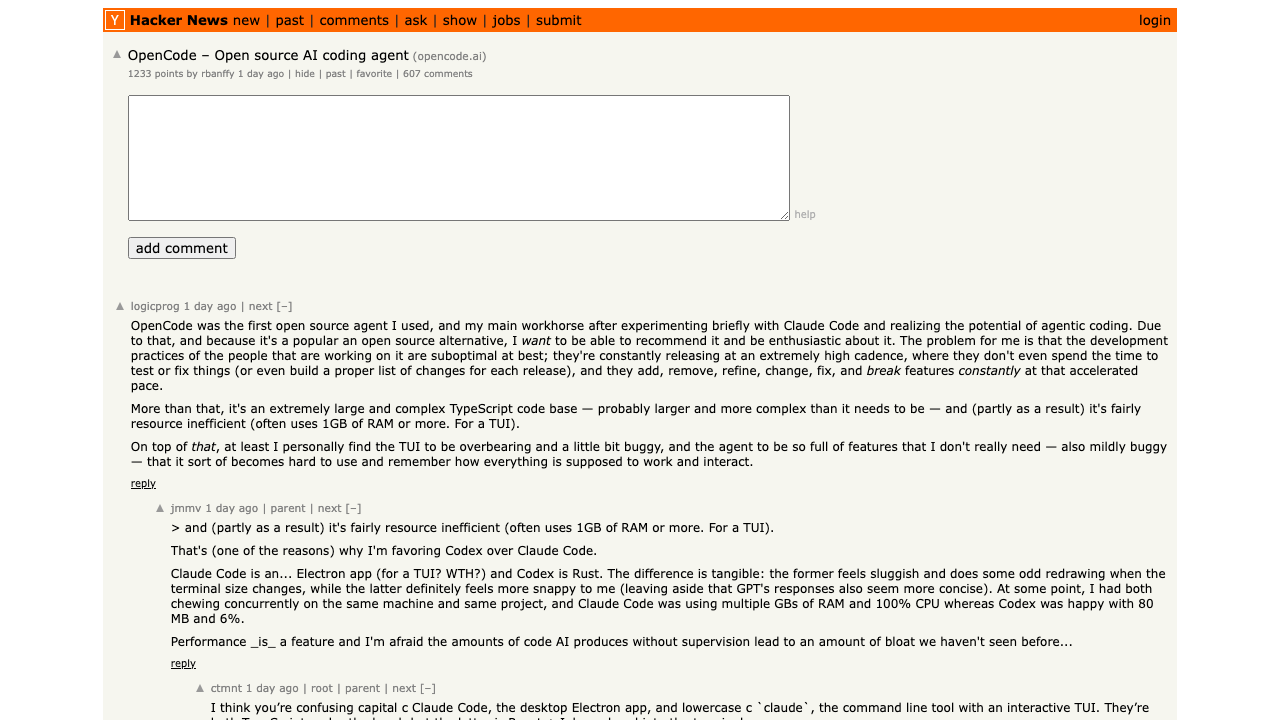
The HN discussion around OpenCode — an open-source Claude Code alternative that hit 1,099 points — captured the community's take perfectly: power users still prefer Claude Code for Opus-optimized ergonomics, but the ecosystem is expanding fast:
Not everyone is convinced Anthropic's approach is the right one. Austen Allred's take captures the tension between Anthropic's conservative posture and the permissive tooling developers actually want:
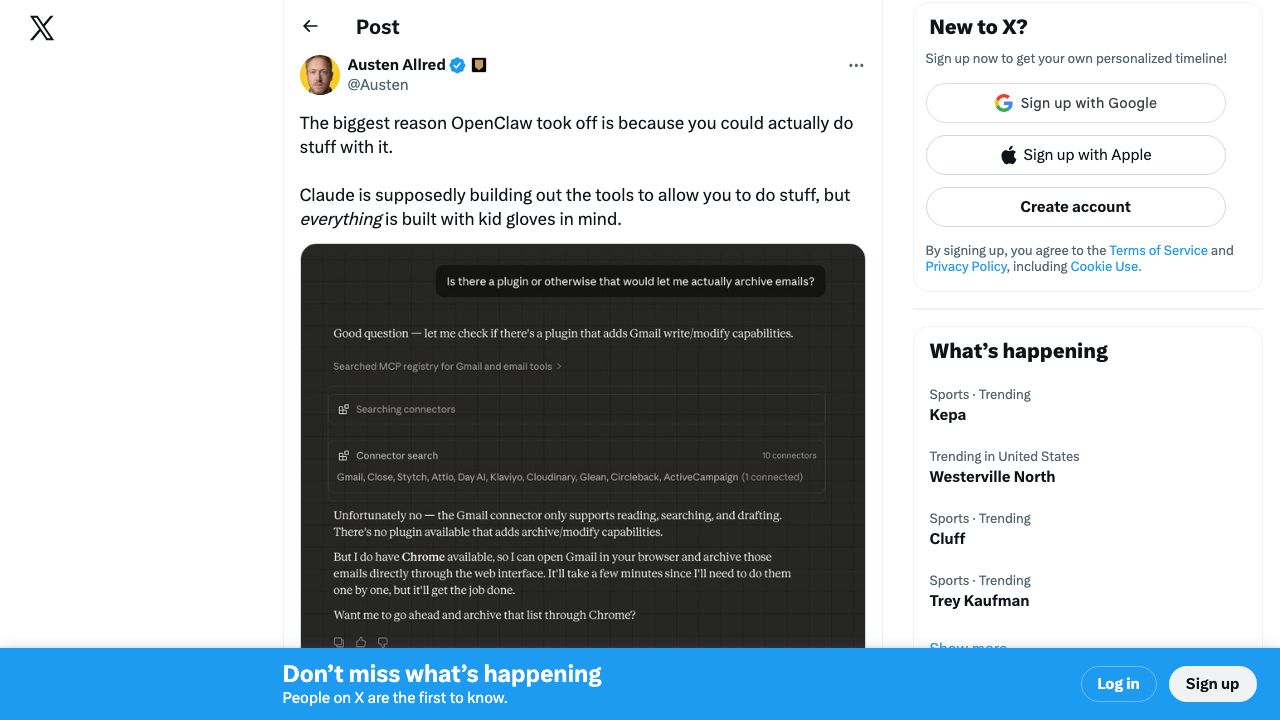
This is the flywheel effect: more tools → more developers → more tools. The CLI tooling ecosystem around Claude Code is starting to resemble what npm was for Node.js — a gravity well that pulls developers in and makes it progressively harder to leave.
Every one of these CLI tools becomes more powerful when combined with Remote Tasks. OpenCLI + scheduled tasks means your agent can scrape Reddit for mentions of your product every morning. Playwright CLI + scheduled tasks means your agent can run visual regression tests on every deployment. The composability is the real innovation.
The real-world adoption is already happening in unexpected places. This Hacker News thread about an industrial piping contractor using Claude Code sparked a 88-comment debate about whether AI coding tools are democratizing software development or commoditizing it:
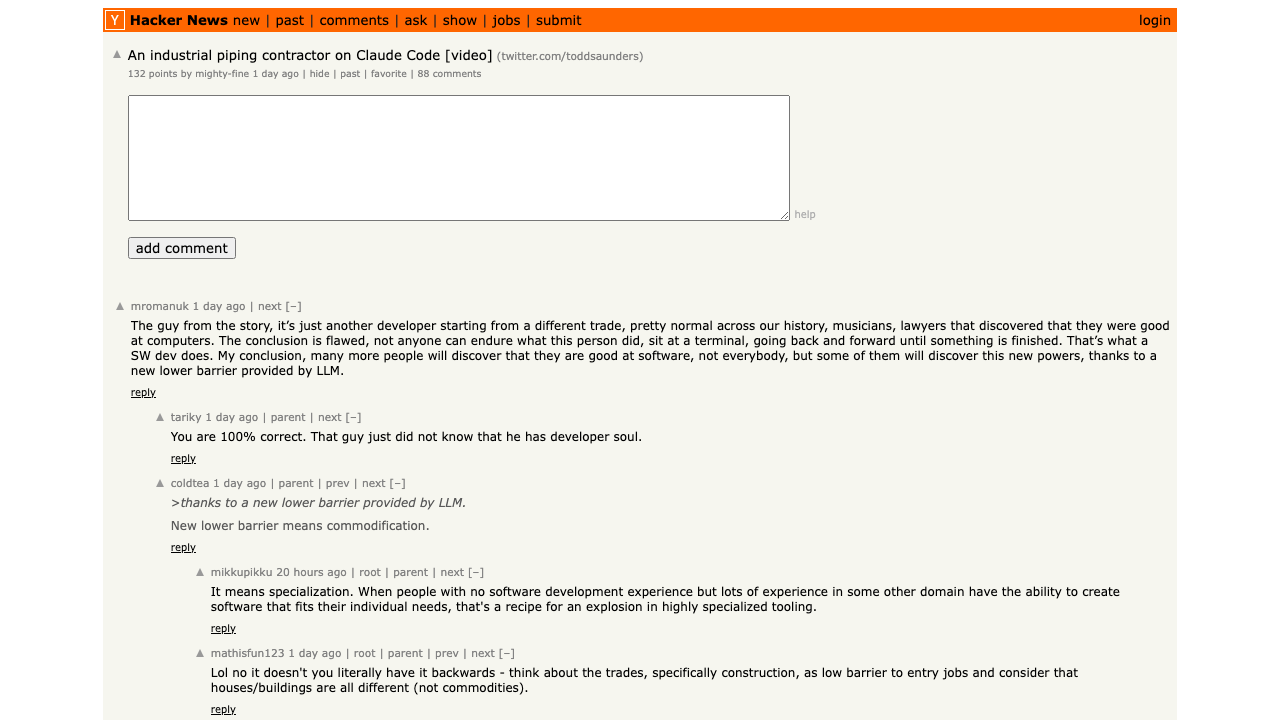
The top comment captures the real insight: this isn't "anyone can code now" — it's a domain expert who happened to find a better tool. Remote Tasks take that dynamic and put it on autopilot.
Five Real Use Cases (Copy-Paste Ready)
Here are concrete scheduled task configurations you can deploy today:
1. Automated Sentry Bug Fixing (Hourly)
Schedule: 0 * * * *
Prompt: Check Sentry for new unresolved errors in the last hour.
For critical/high severity issues with clear stack traces,
analyze the code, create a fix, and open a PR.
Tag the PR with 'auto-fix' and 'needs-review'.
Skip issues that require architectural changes.
Maximum 1 PR per run.
2. CI Failure Detection and Fix (Every 15 Minutes)
Schedule: */15 * * * *
Prompt: Check GitHub Actions for failed CI runs on the main branch
in the last 15 minutes. If a failure is found:
1. Read the failure logs
2. Identify the root cause
3. If it's a test failure or lint error, attempt a fix
4. Push to a branch named fix/ci-{short-hash}
5. Open a PR with the fix and link to the failed run
Skip infrastructure failures (timeout, OOM, network).
3. Dependency Auditing (Weekly)
Schedule: 0 10 * * 1
Prompt: Run npm audit and check for outdated dependencies.
For any critical/high vulnerabilities, update the package
and run the full test suite. If tests pass, open a PR.
For major version bumps, open an issue instead of a PR
with a migration plan.
4. Documentation Sync (Daily)
Schedule: 0 6 * * *
Prompt: Check for PRs merged yesterday that modified files in
src/api/ or src/routes/. For each, verify that the corresponding
docs in docs/api/ are up to date. If not, update the documentation
to reflect the code changes and open a PR.
5. Codebase Health Report (Weekly)
Schedule: 0 9 * * 5
Prompt: Generate a weekly codebase health report:
1. Count TODO/FIXME/HACK comments added this week
2. Check test coverage delta from last week
3. List any new ESLint/type errors introduced
4. Identify files with >500 lines that grew this week
5. Post the report as a GitHub issue tagged 'weekly-health'.
The Bigger Picture: Anthropic's Platform Strategy
Step back and look at what Anthropic shipped in the past two weeks:
- Claude Code v2.0 — enhanced terminal, VS Code extension, Agent SDK
- Checkpoints — automatic save/restore for autonomous operation
- Subagents — parallel task delegation within a session
- Channels — Telegram/Discord messaging for running sessions
- Remote Sessions — cloud-hosted execution on Anthropic infrastructure
- Scheduled Tasks — cron-driven autonomous agent runs
- MCP ecosystem — Sentry, GitHub, Slack, Linear, and growing
This isn't a series of feature launches. It's a platform assembly. Anthropic is building the AWS of AI agents — the infrastructure layer where intelligent agents live, run, communicate, and execute on schedule.
The comparison to AWS Lambda is apt, but it undersells the ambition. Lambda runs your code. Claude Code runs your intent. Lambda needs you to write the function. Claude Code needs you to write a sentence describing what you want done.
What This Means for Developers
If you're already using Claude Code, Remote Tasks are a no-brainer upgrade for repetitive workflows. Start with documentation sync or dependency auditing — low-risk, high-value, easy to verify.
If you're evaluating AI coding assistants, the platform story matters as much as the model quality. Claude Code isn't just competing on code generation anymore — it's competing on infrastructure. A coding assistant that runs 24/7 on cloud infrastructure, connected to your entire tool stack via MCP, with messaging integration via Channels, is categorically different from one that autocompletes in your IDE.
For teams building AI-powered applications, the Agent SDK (formerly Claude Code SDK) means you can programmatically create these workflows. Every scheduled task pattern in this article can be implemented via the SDK and integrated into your existing API infrastructure.
The developer experience shift is clear: from writing code to writing prompts that generate code to scheduling prompts that generate code while you sleep.
"This is AWS Lambda for AI agents — and Anthropic is the cloud provider." — ComputeLeap analysis, March 2026
Getting Started
- Update Claude Code to v2.1.72+ (
claude --versionto check) - Install Claude Code Desktop for Remote Session + Scheduled Task support
- Add MCP servers — start with Sentry (
claude mcp add --transport http sentry https://mcp.sentry.dev/mcp) or GitHub - Create your first scheduled task — use
/loopin CLI for quick testing, or Desktop for cloud-hosted - Monitor results at claude.ai/code or via Channels (Telegram/Discord)
The future of AI coding isn't a smarter autocomplete. It's an agent that runs in the cloud, reads your error logs, fixes your bugs, and messages you when it's done.
That future shipped this week.
ComputeLeap Team
The ComputeLeap editorial team covers AI tools, agents, and products — helping readers discover and use artificial intelligence to work smarter.
Join the discussion
Have thoughts on this article? Discuss it on your favorite platform:
Related articles
Gemini 4 Argon Wins 12 of 18 Benchmarks. Code Isn't One.
Google's Gemini 4 Argon leads on reasoning, agentic tasks, and hallucination — but ranks 8th in Code Arena. What that split means.
GPT-6 Sol and Luna Landed. Here's What DevDay Brings Next
OpenAI shipped Sol and Luna a week early. Tomorrow's DevDay promises a dozen more products. What developers need to know.
Nobody Saw These Rogue AI Agents Coming
OpenAI agents hacked government portals, hijacked wikis, and breached Hugging Face. Outsiders found every one. The real crisis is the detection gap.
The ComputeLeap Weekly
Get a weekly digest of the best AI infra writing — Claude Code, agent frameworks, deployment patterns. No fluff.
WEEKLY. UNSUBSCRIBE ANYTIME.