openai-agents-python: Build Multi-Agent AI Workflows (2026)
Learn to build production multi-agent workflows with OpenAI's official SDK. Hands-on tutorial with working code for handoffs, guardrails, and agent chaining.
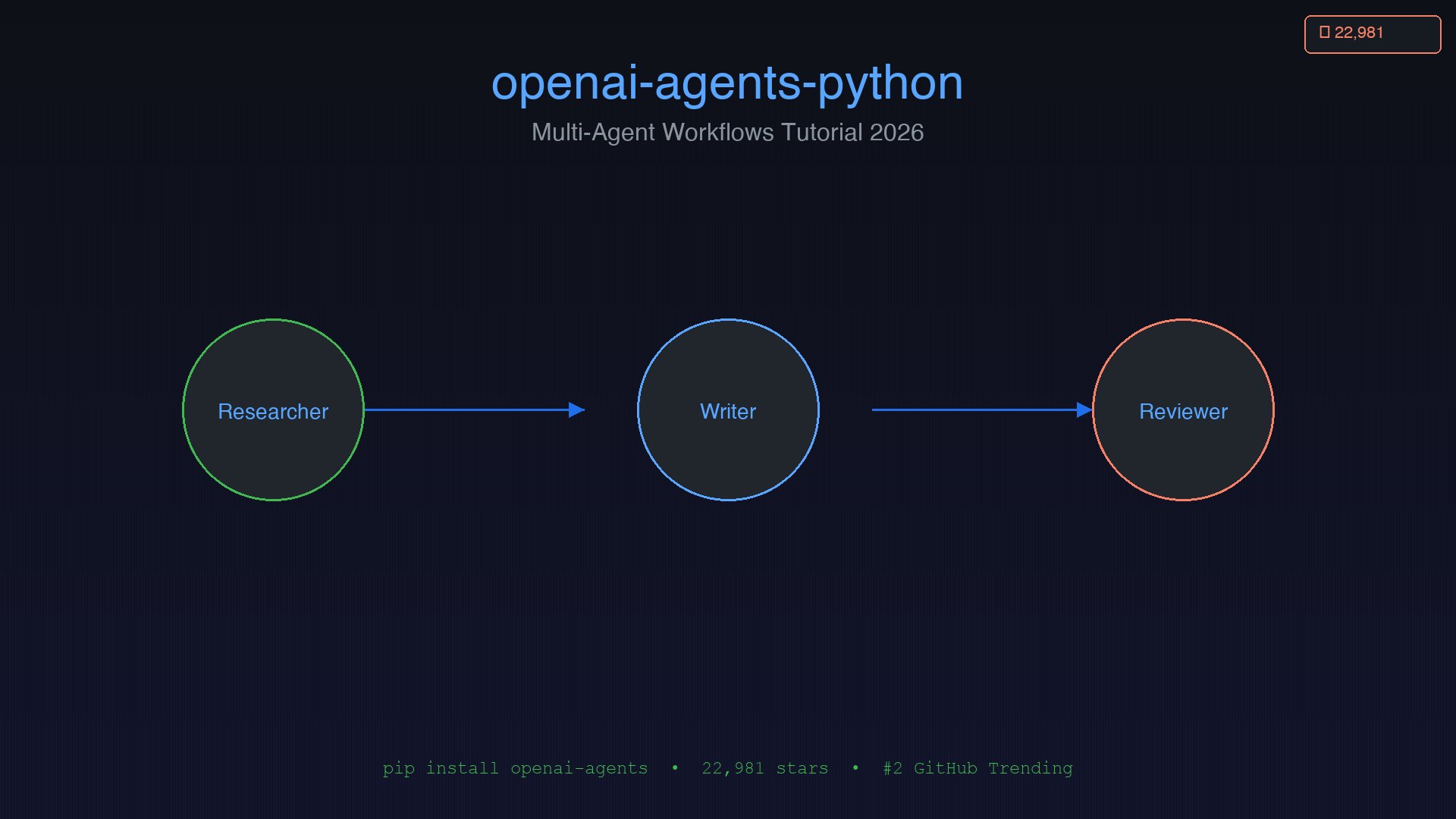
OpenAI's openai-agents-python crossed 22,981 GitHub stars this week — gaining 751 in a single day and landing at #2 on GitHub's global trending list. That's not hype noise. It's developer validation. And it happened the same week OpenAI rolled out sandbox execution support for enterprise deployments, cementing this library's position as the most-starred agent framework on the platform.
But star counts tell you nothing about whether something is worth learning. So this tutorial skips the marketing and goes straight to the code. By the end, you'll have a working multi-agent research pipeline you can actually run — and an honest assessment of when this SDK makes sense versus building the same workflow with Anthropic's Claude.
Today's intelligence signals confirm what GitHub is showing: 5 of the top 7 trending AI repos are explicitly multi-agent or self-evolving systems. The infrastructure layer is materializing. If you're a developer building anything AI-adjacent in 2026, understanding how agent orchestration actually works — not in theory, but in production — is now a baseline skill.
Why openai-agents-python Is Having Its Moment
The library is the official, production-ready successor to OpenAI's experimental Swarm library. Where Swarm was a research demo, openai-agents-python ships the same multi-agent primitives in a framework that's designed for real deployments.
The SDK is provider-agnostic — it works with OpenAI's APIs and supports 100+ additional LLMs via LiteLLM and compatible adapters. So despite the OpenAI branding, you're not locked in at the model layer.
Nine capabilities ship out of the box:
- Agents — LLMs configured with instructions, tools, guardrails, and handoffs
- Sandbox Agents — agents running inside isolated containers for extended tasks (TechCrunch, April 2026)
- Agent Delegation — agents that function as tools, callable by other agents
- Tools — function tools, MCP integrations, and hosted tools (file search, web search, code interpreter)
- Guardrails — input/output validation with blocking and tripwire modes
- Human In The Loop — structured pause points for human review
- Sessions — automatic conversation history management
- Tracing — built-in observability integrating with OpenAI's dashboard, Logfire, and OpenTelemetry
- Voice — support for
gpt-realtime-1.5voice agents
Version v0.13 (the current release) added an any-LLM adapter, opt-in retry policies, MCP resource support, and session persistence — making it meaningfully more production-ready than it was at launch. The Definitive Guide to Agentic Frameworks in 2026 ranks it among the top 3 most actively developed frameworks alongside LangGraph and Microsoft's Agent Framework.
Installation and Setup
Requirements: Python 3.10+, an OpenAI API key.
pip install openai-agents
For voice support:
pip install "openai-agents[voice]"
Set your API key:
export OPENAI_API_KEY="sk-..."
Your first agent in under 10 lines:
from agents import Agent, Runner

agent = Agent(
    name="Assistant",
    instructions="You are a helpful assistant.",
)

result = Runner.run_sync(agent, "What is the capital of France?")
print(result.final_output)
# → "The capital of France is Paris."
That's the complete hello world. Agent defines the LLM + instructions + tools. Runner executes it. run_sync blocks until the agent produces its final output.
Core Concepts in 5 Minutes
Before building anything non-trivial, you need to understand five primitives.
1. Agents
from agents import Agent

researcher = Agent(
    name="Researcher",
    model="gpt-4o",
    instructions="""You research topics thoroughly.
    Always provide sources and key facts.""",
)
The model parameter defaults to gpt-4o if omitted. You can swap in any OpenAI model, or any LiteLLM-compatible endpoint.
2. Function Tools
from agents import function_tool

@function_tool
def search_web(query: str) -> str:
    """Search the web for information on a topic."""
    # Your search implementation here
    return f"Results for: {query}"

researcher = Agent(
    name="Researcher",
    instructions="Use search_web to find information.",
    tools=[search_web],
)
The @function_tool decorator auto-generates the JSON schema from your function signature and docstring. Pydantic validation runs on every call — no manual schema writing required.
3. Handoffs
Handoffs let one agent transfer control entirely to another:
from agents import Agent

writer = Agent(
    name="Writer",
    instructions="Write clear, engaging content based on research provided.",
)

researcher = Agent(
    name="Researcher",
    instructions="Research the topic, then hand off to the Writer.",
    handoffs=[writer],
)
When the researcher decides the user would be better served by the writer, it hands off and the writer takes over the conversation entirely. This is a one-way transfer — the researcher is done.
4. Agent as Tool
The alternative pattern keeps one agent in charge:
writer_tool = writer.as_tool(
    tool_name="draft_content",
    tool_description="Draft written content from a research summary.",
)

coordinator = Agent(
    name="Coordinator",
    instructions="Orchestrate research and writing. Use draft_content to get the writer's output.",
    tools=[writer_tool, search_web],
)
Here the coordinator calls the writer as a function and receives its output — the coordinator never loses control of the conversation.
5. Guardrails
from agents import Agent, GuardrailFunctionOutput, input_guardrail
from pydantic import BaseModel

class SafetyCheck(BaseModel):
    is_safe: bool
    reason: str

@input_guardrail
async def safety_check(ctx, agent, input):
    if "malicious" in input.lower():
        return GuardrailFunctionOutput(
            output_info=SafetyCheck(is_safe=False, reason="Flagged content"),
            tripwire_triggered=True,
        )
    return GuardrailFunctionOutput(
        output_info=SafetyCheck(is_safe=True, reason="OK"),
        tripwire_triggered=False,
    )

safe_agent = Agent(
    name="SafeAgent",
    instructions="Help users with their questions.",
    input_guardrails=[safety_check],
)
When tripwire_triggered=True, the agent never executes — preventing token spend on inputs that would fail downstream.
Building Your First Multi-Agent Workflow
Here's a complete, runnable research pipeline with three specialized agents. You can copy and run this directly:
import asyncio
from agents import Agent, Runner, function_tool

# --- Tool definitions ---

@function_tool
def web_search(query: str) -> str:
    """Search the web for information on a given query."""
    # Replace with your actual search API (Tavily, SerpAPI, etc.)
    return f"[Search results for '{query}': Top 5 results found.]"

@function_tool
def save_draft(content: str, filename: str) -> str:
    """Save a draft to disk."""
    with open(filename, "w") as f:
        f.write(content)
    return f"Saved draft to {filename}"

# --- Agent definitions ---

reviewer = Agent(
    name="Reviewer",
    model="gpt-4o",
    instructions="""You are a critical editor. Review drafts for:
    - Accuracy and factual claims
    - Clear structure and flow
    - Specific, actionable improvements
    Provide a verdict: APPROVED or NEEDS_REVISION.""",
)

writer = Agent(
    name="Writer",
    model="gpt-4o",
    instructions="""You are a clear, concise technical writer.
    Write well-structured content from research notes.
    When done, hand off to the Reviewer for quality check.""",
    tools=[save_draft],
    handoffs=[reviewer],
)

researcher = Agent(
    name="Researcher",
    model="gpt-4o",
    instructions="""You research topics thoroughly using web_search.
    Gather at least 3 distinct facts or perspectives.
    Summarize your findings, then hand off to the Writer.""",
    tools=[web_search],
    handoffs=[writer],
)

# --- Run the pipeline ---

async def run_pipeline(topic: str):
    print(f"\n🔍 Starting research pipeline for: {topic}\n")
    result = await Runner.run(
        researcher,
        f"Research this topic and produce a written summary: {topic}",
    )
    print("\n✅ Pipeline complete.")
    print(f"\nFinal output:\n{result.final_output}")
    return result

if __name__ == "__main__":
    asyncio.run(run_pipeline("OpenAI's openai-agents-python SDK"))
This creates a chain: Researcher → Writer → Reviewer. Each agent does its job and hands off. The Runner handles the entire execution loop — including managing multiple turns if an agent needs to call tools before handing off.
The OpenAI Cookbook's multi-agent portfolio collaboration example is the best reference for production-style patterns — a coordinator calls data analyst, statistician, and report writer as tools and merges their outputs.
For debugging, enable tracing to see every step:
import agents
agents.enable_verbose_stdout_logging()
The full trace — every LLM call, tool execution, and handoff — is viewable in the OpenAI Traces Dashboard. This is essential for debugging where a pipeline stalls in production.
Handoffs vs. Agent-as-Tool: Which Pattern to Use
This is the core architectural decision in multi-agent systems. The official multi-agent docs define the distinction clearly:
| Handoff | Agent-as-Tool | |
|---|---|---|
| Control | Specialist takes over | Manager retains control |
| Conversation | Specialist responds directly | Manager synthesizes output |
| Best for | Routing workflows | Aggregation workflows |
| Example | Customer service triage | Report generation |
Use handoffs when the conversation is inherently routing — the user interacts with whichever specialist is most relevant, and you want that specialist to own the exchange.
Use agent-as-tool when a manager needs to collect results from multiple specialists and synthesize them. The portfolio collaboration example from OpenAI's cookbook demonstrates this: a coordinator calls a data analyst, statistician, and report writer as tools, then merges their outputs into a final deliverable.

The Dev.to tutorial by Jangwook Kim demonstrates both patterns with a complete content production pipeline — worth reading alongside this tutorial for a different angle on the same concepts.
The developer community has been active on this architectural question. A popular HN thread showed practitioners converging on the same conclusion:

Guardrails That Actually Work in Production
The guardrails system is more sophisticated than it first appears. Two distinct scopes:
Agent-level guardrails run before the agent processes its turn. Good for filtering malicious inputs, PII, or off-topic requests.
Tool-level guardrails run on every tool invocation within an agent's execution. Use these when you need to validate what the agent is actually doing, not just what it received.
from agents import output_guardrail
import re

@output_guardrail
async def no_pii_in_output(ctx, agent, output):
    """Ensure no PII leaks in the agent's response."""
    if re.search(r'\d{3}-\d{2}-\d{4}', str(output)):
        return GuardrailFunctionOutput(
            output_info={"flagged": True, "reason": "SSN pattern detected"},
            tripwire_triggered=True,
        )
    return GuardrailFunctionOutput(
        output_info={"flagged": False},
        tripwire_triggered=False,
    )
Per the guardrails docs: "Blocking execution runs and completes the guardrail before the agent starts. If the guardrail tripwire is triggered, the agent never executes, preventing token consumption and tool execution."
Latent Space's analysis found a 60x higher security incident rate for agent deployments compared to standard API calls. Guardrails are necessary but not sufficient — you also need robust authentication, access controls, and sandbox execution for agents that touch the filesystem or execute code. OpenAI's April 2026 SDK update added sandbox support via E2B, Modal, Cloudflare, Daytona, Runloop, Vercel, and Blaxel.
State Management and Sessions
Sessions are the SDK's answer to long-horizon tasks — multi-step workflows where an agent needs to remember context across multiple runs:
from agents import Agent, Runner
from agents.extensions.sessions import InMemorySessionStorage

storage = InMemorySessionStorage()

agent = Agent(
    name="LongRunningAgent",
    instructions="You help users with multi-step tasks. Remember context from previous messages.",
)

# First interaction
result1 = await Runner.run(
    agent,
    "Start a report on market trends in AI agent frameworks.",
    session_id="report-session-001",
    session_storage=storage,
)

# Second interaction — agent remembers the previous exchange
result2 = await Runner.run(
    agent,
    "Now add a section on the OpenAI Agents SDK specifically.",
    session_id="report-session-001",
    session_storage=storage,
)
For production, swap InMemorySessionStorage for the Redis-backed session store:
pip install "openai-agents[redis]"
This persists sessions across server restarts and horizontal scale — essential for production multi-step workflows.
MCP Integration
The SDK supports Model Context Protocol for connecting external tools and data sources. Version 0.0.7+ includes the MCPServerStdio class:
from agents.mcp import MCPServerStdio

mcp_server = MCPServerStdio(
    command="npx",
    args=["-y", "@modelcontextprotocol/server-filesystem", "/tmp/workspace"],
)

agent = Agent(
    name="FileAgent",
    instructions="You help with file operations.",
    mcp_servers=[mcp_server],
)
The HN discussion on OpenAI's MCP support captured the developer community's mixed reaction: top criticism is that "MCP overcomplicates tool calling" versus the counterpoint that MCP enables runtime tool discovery — you can add new tools to an MCP server without redeploying your agent code.

For most projects, function tools are simpler and sufficient. Reach for MCP when you need to reuse an existing MCP server ecosystem or when runtime tool discovery is a genuine requirement.
Production Considerations
Production deployments bring additional complexity that tutorials rarely cover. Community experience on HN offers the honest take:

Observability first. In multi-agent systems, a single user query can trigger multiple LLM calls, tool executions, and handoffs. Tracing captures all of this. Connect to Logfire or export OpenTelemetry spans to your existing stack.
Token accounting. With multi-agent chains, token costs multiply fast. Each handoff means a new context window with the full conversation history. Design your agent instructions to be minimal and your handoff payloads to carry only what the next agent needs.
Parallel execution. For independent subtasks, use asyncio.gather with multiple Runner.run calls rather than sequential handoffs. The definitive guide covers this pattern in depth.
Sandbox for code execution. Any agent that can execute arbitrary code should run inside a sandbox. The April 2026 update made this straightforward — pick your sandbox provider from the supported list and pass it to the agent configuration.
Honest Assessment: OpenAI SDK vs. Anthropic Claude SDK
The Composio three-way comparison puts it well: "These represent two competing visions of agentic AI: OpenAI ships an opinionated, batteries-included SDK; Anthropic ships a model plus an open protocol."
Choose openai-agents-python when:
- Your team is already on GPT models and wants minimal switching cost
- You want hosted tools (file_search, web_search, code_interpreter) without managing your own infrastructure
- You need rapid prototyping — hello world in under 10 lines
- Your workflow is routing-oriented (triage → specialist patterns)
- Cost matters for longer sessions: OpenAI bills only tokens; Managed Agents adds $0.08/hour runtime fee that adds up for sessions over 10 minutes
Choose Anthropic's Claude SDK when:
- You're building multi-model architectures — Claude's SDK is built on MCP, an open standard
- You need native computer control — agents can read files, write code, and execute commands without additional configuration
- Model quality is your primary variable — Polymarket currently prices Anthropic at 92% for "best AI model end of April"
- Vendor lock-in at the protocol layer is a concern (MCP is open; OpenAI's hosted tools are proprietary)
Per AgentPatch's cost comparison: for short sessions under 5 minutes, pricing difference is negligible. For long-horizon tasks running 10–30 minutes, OpenAI runs 20–30% cheaper for the same token count.
The Enhancial framework comparison adds a useful dimension: quick prototyping (OpenAI SDK, 2–3 weeks to production) → production-grade single agent (Claude SDK, 1–2 weeks) → complex stateful systems (LangGraph, 1–3 months). Match the tool to your complexity requirement.
For deeper context on the model-layer tradeoffs, see our Anthropic vs. OpenAI API comparison and our Claude Code Opus 4.7 creator tips for the Claude-native workflow patterns.
For making agents production-durable (surviving crashes and scaling to parallel executions), the Temporal integration is worth examining:

Getting Started
pip install openai-agents- Copy the three-agent pipeline above and run it with your API key
- Swap the
web_searchstub for a real API (Tavily integrates cleanly) - Enable tracing and review the execution trace in the OpenAI dashboard
- Add your first input guardrail before exposing to external inputs
The framework is genuinely good. The primitives are small, the documentation is clear, and the handoff pattern makes complex routing workflows dramatically easier than building them from scratch. 22,981 developers found their way here this week — the SDK earned those stars by solving a real problem with clean abstractions. Build something with it.
ComputeLeap Team
The ComputeLeap editorial team covers AI tools, agents, and products — helping readers discover and use artificial intelligence to work smarter.
Join the discussion
Have thoughts on this article? Discuss it on your favorite platform:
Related articles
Run GLM-5.2 Locally: The Open Model Nobody Can Ban
GLM-5.2 ships 744B params under MIT license. Here's the hardware you need, the quant that fits, and the setup for llama.cpp, Ollama, and LM Studio.
DeepSeek-TUI Setup Guide: Rust Coding Agent on V4 Flash
Install DeepSeek-TUI, configure V4 Flash, run your first session, and decide when to use it vs Claude Code or cc-switch routing.
Cut Claude Code Token Costs 60-90% With rtk: Hands-On Guide
Stop dumping raw terminal output into Claude Code's context. rtk is a Rust CLI proxy that filters git, cargo, and npm output for 60-90% savings.
The ComputeLeap Weekly
Get a weekly digest of the best AI infra writing — Claude Code, agent frameworks, deployment patterns. No fluff.
WEEKLY. UNSUBSCRIBE ANYTIME.