Chrome's Gemini Nano Prompt API: A Step-by-Step Guide
Enable the flag, call window.ai, stream from a 4GB local LLM. The full Chrome Prompt API setup with a hosted-API fallback for unsupported browsers.
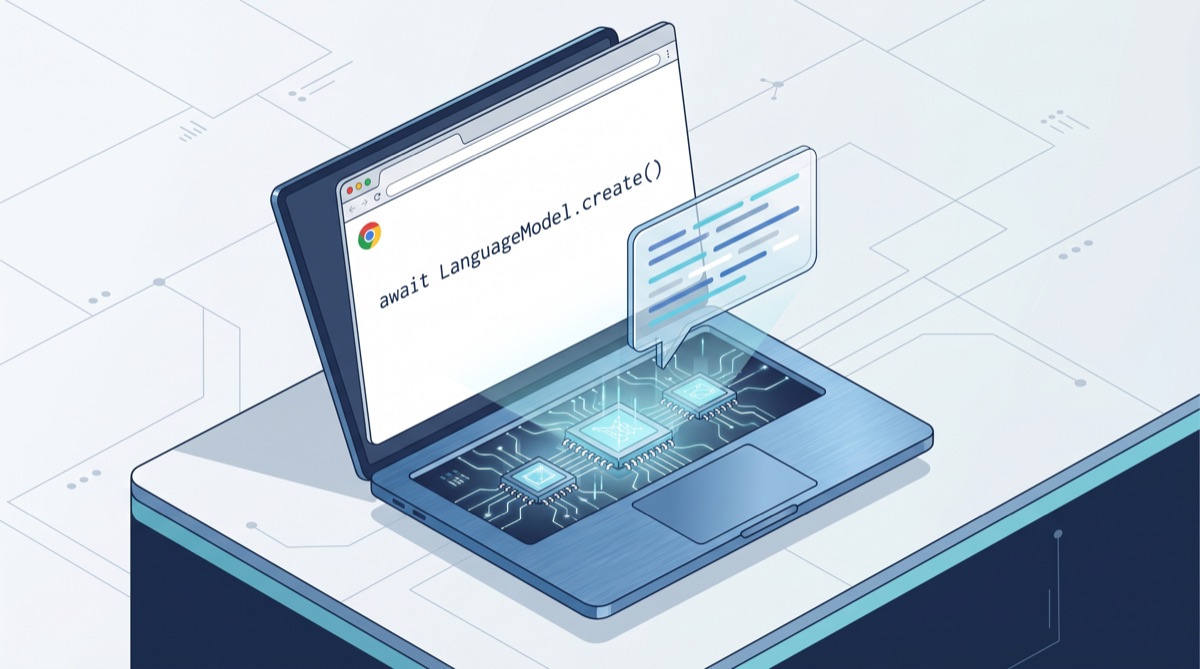
This morning's #1 story on Hacker News (827 points) is a side panel that runs an entire LLM on your laptop with one JavaScript call: await LanguageModel.create(). No server. No API key. No round-trip. The model — Google's 4GB Gemini Nano — is already on your machine; Chrome quietly downloaded it the last time you let it auto-update.

The technical name for this is the Prompt API (official spec, Chrome docs). It's been in Chrome's bowels since version 138 — initially behind a flag, now also available as an Origin Trial for production sites. The big news is that a critical mass of developers just figured out it's there, and the demos hitting HN every week (Decaf rewriting comments, Subtitle Insights translating YouTube live, the side-panel UI above) are no longer "look what's possible" — they're "I shipped it last weekend."
This is a code-first guide: the two flags you need, the actual LanguageModel.create() call, streaming output, and — most importantly — a hosted-API fallback so your code still works on Firefox, Safari, and the Chrome users who don't have the model downloaded. If you've been following our AMD Lemonade local-LLM server guide, this is the same thesis from the browser side: the on-device tier is real, and 2026 is the year it stops being a research toy.
What You Actually Get
Before the code, the constraints. Chrome's Prompt API is not GPT-5.5 in your browser. It's Gemini Nano — small, on-device, deliberately optimized for a 4GB memory footprint. The honest spec sheet:
| Capability | Reality |
|---|---|
| Context window | ~4K input, ~1K output — short prompts only |
| Languages | English at full quality; other languages lossy |
| Speed | First prompt slow (model warm-up), then sub-second on M1+ |
| Hardware | >4GB VRAM OR 16GB RAM with 4+ CPU cores |
| Disk | ~22GB free (Chrome reserves headroom) |
| OS | Win10/11, macOS 13+, Linux, Chromebook Plus |
| Browser | Chrome 138+ (Stable as of May 2026), Edge 138+ |
The thinktecture labs analysis puts it bluntly: "Hardware support is uneven. The model needs roughly 4GB VRAM and runs only on Chrome 138+." Translation: maybe 60% of your users qualify. This is exactly why the fallback is non-negotiable — the official Chrome guidance says it explicitly: "the on-device model fails open and your code should not."
What it's good for: summarization, classification, rewriting, extracting structured data from short text, lightweight chat, generating tags, proofreading. What it's bad for: long-document QA, code generation, anything reasoning-heavy. If you're choosing between Nano and a hosted call, the rule of thumb is "under 500 tokens in, under 200 tokens out, and the failure mode of being wrong is recoverable."
Step 1: Enable Chrome's On-Device Model
There are two ways in. Pick one.
Option A: Local development (immediate)
Open Chrome 138+ (any channel) and visit two chrome://flags URLs:
chrome://flags/#optimization-guide-on-device-model
chrome://flags/#prompt-api-for-gemini-nano
Set both to Enabled. Restart Chrome. The model downloads silently in the background — typically 10–30 minutes on a residential connection. You can poll its status without leaving the dev console:
// Returns 'available', 'downloadable', 'downloading', or 'unavailable'
const status = await LanguageModel.availability();
console.log(status);
Until status === 'available', your LanguageModel.create() calls will throw. The Chrome dev preview group confirms there's no way to force the download — it kicks off when the browser decides the device is idle and on a non-metered connection.
Option B: Origin Trial (for production sites)
If you own a domain and want users to access the API without flipping flags themselves, register for the Origin Trial at chromestatus.com (search "Prompt API"), get a token, and add it to your HTML:
<meta http-equiv="origin-trial" content="YOUR_TOKEN_HERE">
The token is bound to one origin and expires when the trial ends. Trade-off: production users get the API without setup, but you've signed Google's Generative AI Prohibited Uses Policy — which is what got Mozilla so loud about Prompt API last week.

Step 2: Your First Prompt
The minimal "hello world" of the Prompt API is three lines. Open DevTools on any web page (the API attaches to window):
const session = await LanguageModel.create({
  systemPrompt: "You are a concise technical assistant. Reply in one sentence."
});

const reply = await session.prompt("What does the Chrome Prompt API let me do?");
console.log(reply);
That's the whole API surface for non-streaming use. LanguageModel.create() returns a session object. session.prompt(text) returns a Promise<string>. The session keeps conversation history until you destroy it.
A few details that bite people:
- First call is slow. Cold-starting Nano takes 1–4 seconds depending on your machine. Warm calls are sub-second. Show a loading state on the first prompt and you can drop it on subsequent ones.
- Sessions have a context window. When you exceed ~4K tokens, the API starts trimming the oldest turns silently. If you need to know how much you've used,
session.tokensSoFarandsession.maxTokensare on the object. - Reference it as
LanguageModel, notwindow.ai.LanguageModel. The early-2024 docs usedwindow.ai.createTextSession(), and you'll find Stack Overflow answers from 2024 with that syntax. It changed. The current spec (and Chrome 138+) exposesLanguageModelas a global. UseLanguageModel.create().
Romin Irani's Google Cloud guide has the canonical screenshots of the flag UI if you want a sanity-check that you flipped them right.
Step 3: Streaming Output
The blocking .prompt() call is fine for one-shot tags or classification. For chat UIs, you want tokens as they generate. The streaming API mirrors the OpenAI server-sent-event pattern but uses an async iterator — no fetch, no parsing:
const session = await LanguageModel.create({
  systemPrompt: "You are a helpful writing coach."
});

const stream = session.promptStreaming(
  "Rewrite this email to sound more direct: 'I was hoping that maybe we could possibly schedule a meeting at your convenience to discuss the project.'"
);

let fullText = "";
for await (const chunk of stream) {
  fullText += chunk;
  // Append `chunk` to your DOM as it arrives — this is the UX win
  document.getElementById('output').textContent = fullText;
}
Each chunk is a string of newly-generated tokens, not the cumulative text — different from some streaming APIs where you get the running total. Concatenate yourself.
You can also stop a generation mid-stream by passing an AbortSignal:
const controller = new AbortController();
const stream = session.promptStreaming("Write me a long poem.", {
  signal: controller.signal
});

// Cancel after 2 seconds
setTimeout(() => controller.abort(), 2000);
The for await loop throws an AbortError when the signal fires; wrap it in try/catch if cancellation is part of normal flow.
Step 4: The Hosted-API Fallback (Non-Negotiable)
This is the part most demos skip. You cannot ship LanguageModel.create() to production and call it done — only Chrome 138+ users with the right hardware and the model downloaded will hit the path. Everyone else needs a fallback. Here's the pattern that actually works:
// promptWithFallback.ts
type PromptFn = (text: string) => AsyncIterable<string>;

async function getPromptFn(): Promise<PromptFn> {
  // Path 1: On-device via Prompt API
  if (typeof LanguageModel !== "undefined") {
    const status = await LanguageModel.availability();
    if (status === "available") {
      const session = await LanguageModel.create({
        systemPrompt: "You are a concise assistant."
      });
      return async function* (text) {
        for await (const chunk of session.promptStreaming(text)) {
          yield chunk;
        }
      };
    }
  }

  // Path 2: Hosted fallback (any provider — example uses OpenAI-compatible)
  return async function* (text) {
    const res = await fetch("/api/llm", {
      method: "POST",
      headers: { "Content-Type": "application/json" },
      body: JSON.stringify({ prompt: text, stream: true })
    });
    const reader = res.body!.getReader();
    const decoder = new TextDecoder();
    while (true) {
      const { done, value } = await reader.read();
      if (done) break;
      yield decoder.decode(value);
    }
  };
}

// Usage — same shape regardless of which path won
const promptFn = await getPromptFn();
for await (const chunk of promptFn("Summarize this page in one sentence.")) {
  console.log(chunk);
}
The key trick is the unified AsyncIterable<string> shape — your UI code doesn't care which path you took. On a Chrome-with-Nano user you save the API call entirely; on everyone else you hit your server's /api/llm route, which forwards to OpenAI / Anthropic / your favorite hosted model.
/api/llm endpoint — Apple Silicon owners get on-device performance via your server's Mac, not theirs. Same thesis as our DeepClaude guide: the harness is one product, the model is another, and you can swap them.Real Examples Already Shipping
Three Show HNs from the last few weeks demonstrate that the Prompt API isn't theoretical — devs are shipping consumer features against it.
Decaf (Show HN) is a Chrome extension that rewrites the comment sections of any webpage using Gemini Nano. Original toxic comments, civil tone in real time, zero API spend. The author's HN comment notes the hardest part wasn't the LLM — it was the DOM mutation observer that catches comment threads before they render.

Subtitle Insights (Show HN) translates YouTube subtitles in the browser as they appear. The author reports first-paint translation in ~120ms after subtitle text loads — well under the gap between subtitle changes. A purely server-rendered version of this would have cost roughly $0.0003 per minute of viewing per user; their version costs zero.

Nano Prompt UI (HN #1, today) is the simplest of the three: a side panel that's just a chat box wired to Nano. The reason it hit #1 isn't novelty; it's that the entire repo is ~200 lines and the comments are full of devs going "wait, this is in my Chrome already?" The discoverability of the API is now the bottleneck — not the API itself.
A Hugging Face write-up by Xenova covers a fourth pattern: extracting Nano's binary weights from the Chrome cache so you can run them in transformers.js outside Chrome. That's an advanced workaround we don't recommend (it tip-toes around Google's TOS), but it tells you the model itself is plain GGUF underneath.
Limitations You Will Hit in Production
Some of this is documented; some you only learn by deploying.
The 4K input window is harder than it sounds. Your tokenizer is JavaScript's UTF-16 string length divided by ~4. A typical web page's main content blows past 4K easily. You'll spend more code on intelligent truncation than on the prompt itself. Pre-summarizing in chunks (map-reduce style) works but adds latency.
There's no JSON mode (yet). Nano will produce JSON if you ask politely, but it's not constrained-decoded — you'll get malformed JSON ~5% of the time. The Chrome team's structured output proposal is in flight but not in stable. For now: validate with JSON.parse in a try/catch, retry with "fix the JSON" on parse failure.
Privacy is real but the attestation isn't. The model runs locally; nothing leaves the device. But there's no API-level guarantee for users that any given page is using the Prompt API and not silently exfiltrating prompts to a remote server. Browser indicators for "this site is using on-device AI" are on the standards roadmap; they don't exist yet. If your UX claim is "your data never leaves your device," document the network panel proof for users who care.
The model can change without you noticing. Chrome auto-updates Nano. Your prompts may behave differently in three months. Pin your prompt-eval suite and run it on every Chrome stable release.
When to Use Nano vs. Hosted
A simple decision tree, calibrated to what we've shipped against the API ourselves:
| Use case | Recommendation |
|---|---|
| Instant tags, sentiment, intent classification | Nano — sub-second, free, fine for "good enough" |
| Rewriting / proofreading short text (under 500 words) | Nano — privacy + cost wins outweigh quality gap |
| Chat over a single page's content | Nano with hosted fallback — page-level QA fits the window |
| Long-document QA / RAG | Hosted — Nano can't fit the context |
| Code generation | Hosted — Nano's coding ability is weak |
| Any reasoning chain >2 steps | Hosted — Nano is not a reasoning model |
| Anything where being wrong is dangerous (medical, legal, financial advice) | Hosted with citations — and probably a human |
The honest one-liner: Nano is the autocomplete of LLMs. Use it where you'd use a smart-suggest, not where you'd use Claude or Gemini Pro. The Prompt API's job is to make the autocomplete-class workload free; the hosted models keep their job for everything else.
Where This Goes Next
Three predictions worth watching for the rest of 2026:
- Origin Trials become permanent. Chrome rarely walks back an OT once developers are shipping against it. Expect Stable in Chrome 145–150 (late 2026 / early 2027).
- Apple ships an equivalent. Per Mozilla's worry, once Nano becomes the de facto target, Apple's CoreML team will expose a Safari-compatible Prompt API — probably wrapping their on-device Apple Intelligence model. The interop horror Mozilla predicted is also Apple's only path to not getting cut out of the web's AI layer.
- The "fallback to hosted" gap closes. Today you fallback because half your users don't have Nano. Eighteen months from now, on-device coverage will be 90%+, and the fallback only fires for the 10%-tail of corporate-locked-down browsers. That's the moment hosted-LLM gross margins compress hard for the autocomplete-class use case.
The action item is small and immediate: ship one feature against the Prompt API this week. Use the fallback pattern from Step 4. Measure your hit rate on Chrome stable. The data — what fraction of my users get the on-device path — is the input you need to plan everything else.
Further reading: Chrome's official Prompt API docs, the W3C Web Machine Learning explainer, and Chrome Developers' 3-minute video walkthrough of the API. For the broader on-device thesis, see Google DeepMind's Gemma-on-device talk and our AMD Lemonade local-LLM guide.
About ComputeLeap Team
The ComputeLeap editorial team covers AI tools, agents, and products — helping readers discover and use artificial intelligence to work smarter.
💬 Join the Discussion
Have thoughts on this article? Discuss it on your favorite platform:
Related Articles
Claude Code Agentic Stack: cc-switch & claude-context MCP
Set up the full 2026 agentic developer stack with Claude Code, cc-switch CLI manager, and claude-context semantic code search MCP. Step-by-step guide.
openai-agents-python: Build Multi-Agent AI Workflows (2026)
Learn to build production multi-agent workflows with OpenAI's official SDK. Hands-on tutorial with working code for handoffs, guardrails, and agent chaining.
Qwen3.6-35B on Mac: Setup Guide + Beats Claude Opus 4.7
Alibaba's Qwen3.6-35B-A3B runs on MacBook Pro via LM Studio. Only 3B active params, Apache 2.0. Setup guide + why it beat Claude Opus 4.7 locally.
The ComputeLeap Weekly
Get a weekly digest of the best AI infra writing — Claude Code, agent frameworks, deployment patterns. No fluff.
Weekly. Unsubscribe anytime.