Cut Claude Code Token Costs 60-90% With rtk: Hands-On Guide
Stop dumping raw terminal output into Claude Code's context. rtk is a Rust CLI proxy that filters git, cargo, and npm output for 60-90% savings.
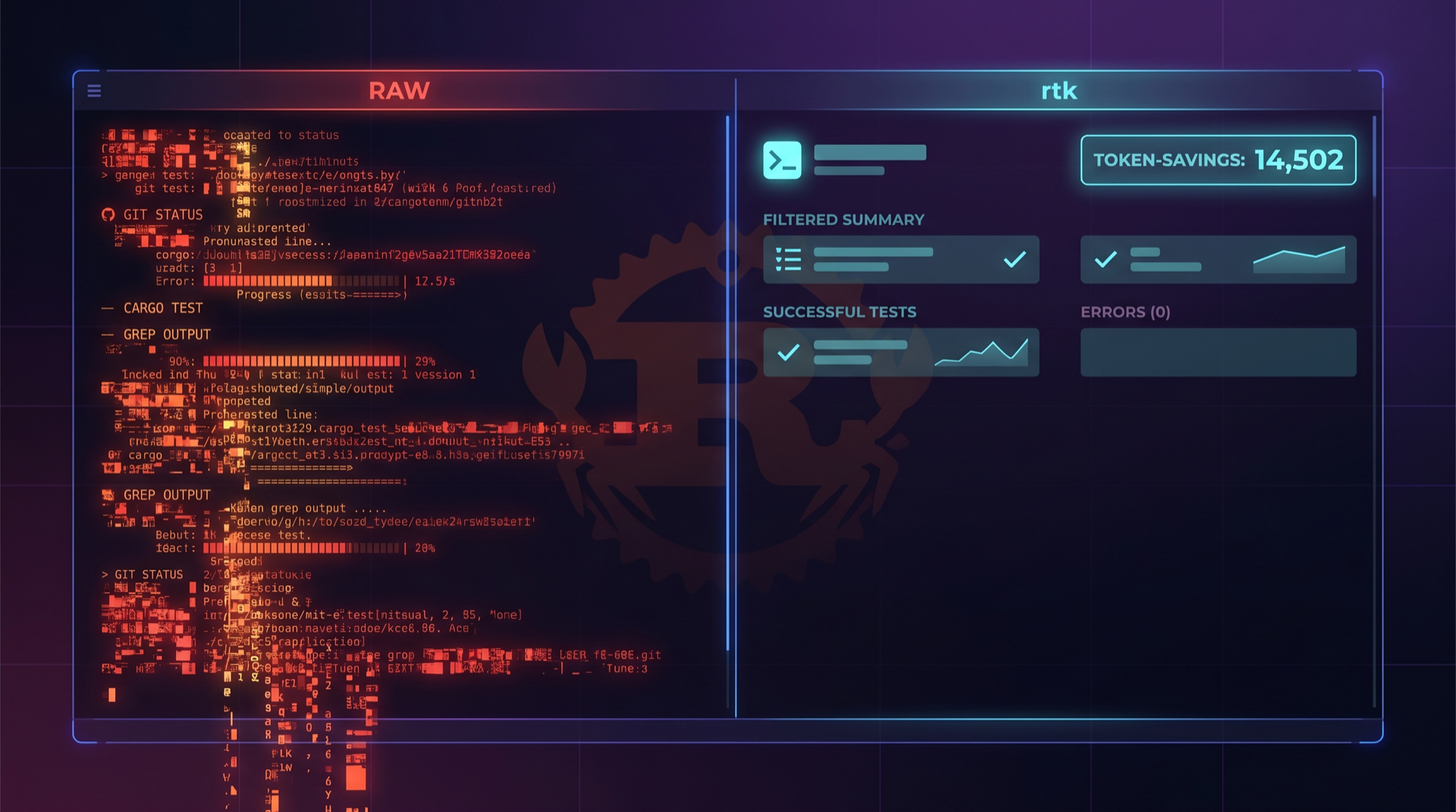
Jenny Ouyang's two-month Claude Code bill came to $1,600. She wrote up the autopsy on her Build to Launch Substack, and the diagnosis was unambiguous: the prompts were not the problem. The tool output was. "Every time Claude reads a file, runs a shell command, or calls an MCP server, the full output gets appended to context," she wrote. By message 40 of a session, she was paying for everything that came before — over and over.
If you have ever seen Claude Code helpfully run git log only to dump 800 lines of merge commits into its working memory, you already understand the shape of this problem. The fix that the open-source community has rallied around in 2026 is a 4 MB Rust binary called rtk — short for Rust Token Killer. It sits between your AI agent and your shell, intercepting noisy commands and returning compact, LLM-friendly summaries before the bytes ever reach the context window. The README claims 60–90% token reduction on common dev commands. Independent users report 70–89% in real sessions, which we'll get into below.
This guide walks through the install, the Claude Code hook setup, three real workflows where the savings show up most, and a side-by-side comparison with the other contender in this category, context-mode.
The token-bloat problem, restated
Most Claude Code users discover the cost problem late. The /cost command is technically available, but you have to remember to run it, and Anthropic's own dashboards lag the actual session by enough that the damage is usually done before you notice. Jenny Ouyang's piece is one of several recent post-mortems — KDnuggets ran a practical guide in March that opens with the same observation: "Opus costs 5x more than Sonnet per token," and most of that spend is going to context, not generation.
The Anthropic team has acknowledged this directly. Their Claude Cookbook on context engineering frames the discipline as managing three streams that accumulate during long-horizon agent work: tool results, the model's own reasoning, and user messages. The middle one — model reasoning — you can't easily compress without losing capability. The first one — tool results — you absolutely can.
That's the whole thesis behind rtk. Tool output is, in their phrasing, "re-fetchable." If Claude needs the data again, it can run the command again. Storing 2,000 tokens of git status output in the conversation history forever is pure waste.

What rtk actually does
The architecture is small enough to describe in two sentences. rtk is a CLI proxy: you call rtk git status instead of git status, and it runs the underlying command, parses the output, applies a domain-aware filter, and returns the compressed result. The Claude Code integration installs a PreToolUse hook that automatically rewrites Bash commands so Claude doesn't even know the rewrite happened — it just gets cleaner output.
The filtering rules are command-specific. For git status, rtk strips the verbose Git suggestion text ("(use 'git restore --staged'..."), groups files by status, and compacts the section headers. For cargo test, it removes the per-test progress lines and keeps only the summary plus failure messages. For find, it returns a token-optimized tree rather than a flat list of paths. The README documents over 100 supported commands across file operations, Git, GitHub CLI, test runners, build tools, package managers, AWS CLI, Docker, and kubectl — overhead is measured in single-digit milliseconds.
The numbers from the project's own benchmark, taken from a 30-minute Claude session on a medium TypeScript/Rust project:
| Command | Raw tokens | rtk tokens | Reduction |
|---|---|---|---|
git status | ~3,000 | ~600 | 80% |
cargo test | ~25,000 | ~2,500 | 90% |
ls/tree | ~2,000 | ~400 | 80% |
| Total session | ~118,000 | ~23,900 | 80% |
That's the headline. Whether you actually see numbers like this depends entirely on your workflow — more on that in the three scenarios below.

Install and Claude Code setup
The install is genuinely the entire setup. From the rtk README:
# macOS / Homebrew (recommended)
brew install rtk

# Linux / macOS one-liner
curl -fsSL https://raw.githubusercontent.com/rtk-ai/rtk/refs/heads/master/install.sh | sh

# From source
cargo install --git https://github.com/rtk-ai/rtk
Verify the binary is on your path:
rtk --version
# rtk 0.x.x
Now wire it into Claude Code:
rtk init -g
The -g flag installs a global PreToolUse hook into your Claude Code settings. Open ~/.claude/settings.json after running it and you'll see a new hooks entry that rewrites any bash tool invocation through rtk. From Claude's perspective, nothing has changed — it still calls git status. From your wallet's perspective, the conversation now stores 600 tokens instead of 3,000 every time it does.
If you also use Gemini CLI, Cursor, Codex, Cline, OpenCode, or Kilo Code, rtk has an --<agent> flag for each. The same Rust binary services all of them; the integration layer is just a hook configuration.
Workflow 1: Planning sessions
The first place you'll feel rtk is when Claude Code is in planning mode and exploring an unfamiliar repo. A typical opening flurry looks something like this:
Bash: git log --oneline -20
Bash: git status
Bash: ls -R src/
Bash: find . -name "*.test.ts" -not -path "*/node_modules/*"
Bash: cat package.json
In raw form, this is the worst kind of context spend. ls -R src/ on a real codebase produces hundreds of paths, most of which are irrelevant. find against a Node project, even with the obligatory node_modules exclusion, can return 200+ test files. None of it is generation-worthy detail — it's all just reconnaissance that should be summarized.
This is exactly the workflow rtk was designed for. Based on the project's documented per-command savings, a planning sequence like the one above would compress as follows:
| Step | Raw | With rtk | Savings |
|---|---|---|---|
git log --oneline -20 | ~600 tokens | ~150 tokens | 75% |
git status | ~2,000–3,000 tokens | ~300–600 tokens | 80% |
ls -R src/ | ~3,000–8,000 tokens | ~600–1,500 tokens | 80% |
find ... *.test.ts | ~1,500 tokens | ~400 tokens | 73% |
This is what AshJo described in their Medium walkthrough: the smaller the raw command, the smaller the relative savings (their git log --oneline example only shaved 2.9%), but in cumulative session terms, the planning phase is where this compounds. Esteban Estrada's write-up at codestz.dev reports a 70% overall Claude Code token reduction, mostly attributable to recon-heavy early-session activity.
Workflow 2: Large refactors
The second workflow where rtk dominates is anything involving a test runner. If you've ever asked Claude Code to "fix the failing test" on a 400-test Jest suite, you've watched it accept a 20,000-token tool result, then ask for the same thing with --verbose, then ask again after a code change. Multiply by the iteration count and you're easily in six-figure-token territory for a single bug fix.
# What you actually want Claude to see
> 3 tests failed in src/auth/session.test.ts
>   - "should expire tokens after TTL" (line 47)
>   - "should refuse expired refresh" (line 89)
>   - "should rotate refresh on use" (line 112)

# What it actually gets without rtk
[400 lines of "✓ test passed" entries, color codes,
 progress bars, timing summaries, and Jest banner]
rtk filters this aggressively. The README's cargo test example — 25,000 → 2,500 tokens — is the canonical case, and equivalent rules apply to pytest, jest, vitest, go test, and eslint. The conversation history ends up with the failure summary and the failing test names, which is approximately what you needed in the first place.
This is the workflow where independent users have reported the most dramatic numbers. The creator's own usage stats, posted on the Show HN thread, show 7,061 commands run over 15 days saving 24.6M tokens, an 83.7% average reduction. FlorianBruniaux replied with very similar numbers — 83.6% over 7,081 commands. LivioGama posted a one-week sample: 79.3%. None of these are stopwatch comparisons against a control session; they are the rtk-reported "what we filtered" totals. But the consistency across users is a useful sanity check.
A separate developer thread on Kilo Code's discussion board — titled "I saved 10M tokens (89%) on my Claude Code sessions with a CLI proxy" — reports a typical 30-minute session dropping from 150,000 tokens to ~45,000 with rtk in front of the agent.


Workflow 3: Codebase search
The third high-leverage scenario is anything where Claude has to search the codebase. grep -r, find, and rg against a non-trivial repo produce token storms — and worse, most of the matches are noise. rtk applies relevance heuristics: it groups matches by file, drops binary-looking lines, and truncates oversized matches into context-aware excerpts.
The same pattern shows up with directory listings. On a TypeScript monorepo, rtk ls returns a tree that respects .gitignore and collapses noisy directories like node_modules, dist, and .next into single summary lines. From the README's example metrics, that's an 80% reduction on commands like ls/tree.
Because Claude Code likes to verify before committing — re-running git diff between edits is its most common nervous tic — these reductions stack across a session.
Measuring with rtk gain
rtk ships its own analytics command, which is useful because guessing about token spend is what got most of us into this mess in the first place. After a few sessions:
rtk gain
# Total commands: 412
# Tokens saved: 1.84M (81.2%)
# Estimated USD saved: $5.52 (Sonnet input pricing)

rtk gain --graph
# 30-day ASCII chart of tokens-saved-per-day

rtk gain --daily
# Per-day breakdown

rtk gain --all --format json
# Machine-readable export for further analysis
The "estimated USD saved" line uses Sonnet 4.6 input pricing as the default reference. For Opus-heavy workloads, the realized savings are roughly 5x larger per token. None of this is independently audited — rtk gain is reporting what it filtered, not what your actual Claude bill came down to. Cross-check it against /cost in Claude Code or your Anthropic console to validate.
context-mode: the sandbox-based alternative
context-mode, at 13.6k stars, takes a different approach to the same problem. Instead of filtering output, it sandboxes it. Each ctx_execute call spawns an isolated subprocess, runs the command there, captures the raw output to disk, and returns only a summary to the conversation. The raw data — log files, API responses, snapshots — never leaves the sandbox, but stays addressable for follow-up queries via ctx_search (FTS5 + BM25).
The headline benchmark from the project's BENCHMARK.md: a session with 315 KB of raw output compressed to 5.4 KB visible context — a 98% reduction. Specific cases include:
- Playwright snapshots: 99% reduction
- 20 GitHub issues: 98% savings
- 500-line access logs: 100% reduction (sandboxed entirely, queryable on demand)
The install is a Claude Code plugin marketplace install:
/plugin marketplace add mksglu/context-mode
/plugin install context-mode@context-mode
Then /reload-plugins. context-mode registers 11 MCP tools — six sandbox primitives (ctx_execute, ctx_batch_execute, ctx_execute_file, ctx_index, ctx_search, ctx_fetch_and_index) and five meta-tools (ctx_stats, ctx_doctor, ctx_upgrade, ctx_purge, ctx_insight). It supports 14 platforms including Claude Code, Gemini CLI, VS Code Copilot, JetBrains, Cursor, OpenCode, and Codex CLI.

When to use which
The two tools are not actually competitors so much as different points on a tradeoff curve.
| Dimension | rtk | context-mode |
|---|---|---|
| Strategy | Filter at command boundary | Sandbox + index, query on demand |
| Setup | Single Rust binary, hook install | Claude Code plugin, MCP tools |
| Granularity | Per-command rules (100+ commands) | Per-execution sandbox + FTS5 search |
| Best at | Recon, tests, git, package managers | Web fetches, large logs, multi-step research |
| Reduction | 60–90% (typical 80%) | Up to 98% on log-heavy workloads |
| Trade-off | Loses output Claude might want to see | Adds an indirection layer Claude has to learn |
| Honest weak spot | Some commands need verbose output for debugging — rtk's filter rules have to be turned off case-by-case | Subprocess sandboxing changes how some interactive tools (TUIs, prompts) behave |
If your day is mostly Git, tests, and package operations, install rtk first. The hook-based integration means zero behavioral change from Claude's perspective — it's the lowest-friction win in the category. If your day involves a lot of large web fetches, log analysis, or research-style workflows where the same data gets queried multiple times, context-mode's index-and-retrieve model gets you closer to the 98% number.
You can run both. Our internal convergence tracking on May 4 noted that "rtk-ai/rtk and mksglu/context-mode both pitch 60–98% context reduction via tool-output sandboxing… expect this category to consolidate into one or two winners by Q3."
Honest limitations
Three things to know before you install:
git log to understand a regression, or the full npm install warnings to debug a build. When that happens, you can bypass rtk for a single command by calling the underlying tool directly — but Claude will only know to do this if you tell it. The HN comment from a developer who'd been using rtk for "a few weeks" flagged exactly this friction.2. The reported savings are rtk's own accounting. rtk gain shows what got filtered, not what your bill came down to. The relationship is correlated but not 1:1 — caching, compaction, and sub-agent isolation also affect your actual spend. Treat the percentage as an upper bound on the savings, and verify with /cost.
3. The tool surface is still moving. rtk is on a fast release cadence and new commands get added every week. If you rely on a niche test runner or build tool that isn't yet supported, you'll get pass-through behavior (rtk runs the command but doesn't filter), which is harmless but doesn't save you anything until rules are written.
The bigger picture
Token-economy tooling is the first deployable infra layer to emerge from what the industry has started calling the "context engineering" era. A year ago, every model release was about pushing context windows higher. Now the marginal win is cutting them — both because cost has caught up to capability, and because raw context size is no longer a strict capability multiplier. Anthropic's own context engineering cookbook is explicit: "If context bloat is mostly re-fetchable tool output, clearing is cheaper and lossless."
rtk operationalizes that observation at the shell. context-mode operationalizes it at the agent layer. The two together approximate what a future generation of agent harnesses will probably do natively — Claude Code, Cursor, and Codex are all clearly heading toward output-budgeting being a first-class part of the runtime rather than a third-party install. Until then, a 4 MB Rust binary with a hook is the cheapest 60–90% you can buy. If you're spending real money on Claude Code today, set up rtk before you do anything else this week.
For the cost-floor approach — replacing the model entirely with cheaper alternatives — see our earlier guide on running Claude Code with Ollama and OpenRouter. For the security implications of layering proxies and plugins into your agent stack, our piece on the LiteLLM supply-chain attack is the relevant read. The unifying theme: Claude Code is a harness, and almost every component in that harness is now optimizable independently.
The cheapest token is the one you never had to send.
ComputeLeap Team
The ComputeLeap editorial team covers AI tools, agents, and products — helping readers discover and use artificial intelligence to work smarter.
Join the discussion
Have thoughts on this article? Discuss it on your favorite platform:
Related articles
Run GLM-5.2 Locally: The Open Model Nobody Can Ban
GLM-5.2 ships 744B params under MIT license. Here's the hardware you need, the quant that fits, and the setup for llama.cpp, Ollama, and LM Studio.
DeepSeek-TUI Setup Guide: Rust Coding Agent on V4 Flash
Install DeepSeek-TUI, configure V4 Flash, run your first session, and decide when to use it vs Claude Code or cc-switch routing.
Chrome's Gemini Nano Prompt API: A Step-by-Step Guide
Enable the flag, call window.ai, stream from a 4GB local LLM. The full Chrome Prompt API setup with a hosted-API fallback for unsupported browsers.
The ComputeLeap Weekly
Get a weekly digest of the best AI infra writing — Claude Code, agent frameworks, deployment patterns. No fluff.
WEEKLY. UNSUBSCRIBE ANYTIME.