DeepSeek-TUI Setup Guide: Rust Coding Agent on V4 Flash
Install DeepSeek-TUI, configure V4 Flash, run your first session, and decide when to use it vs Claude Code or cc-switch routing.
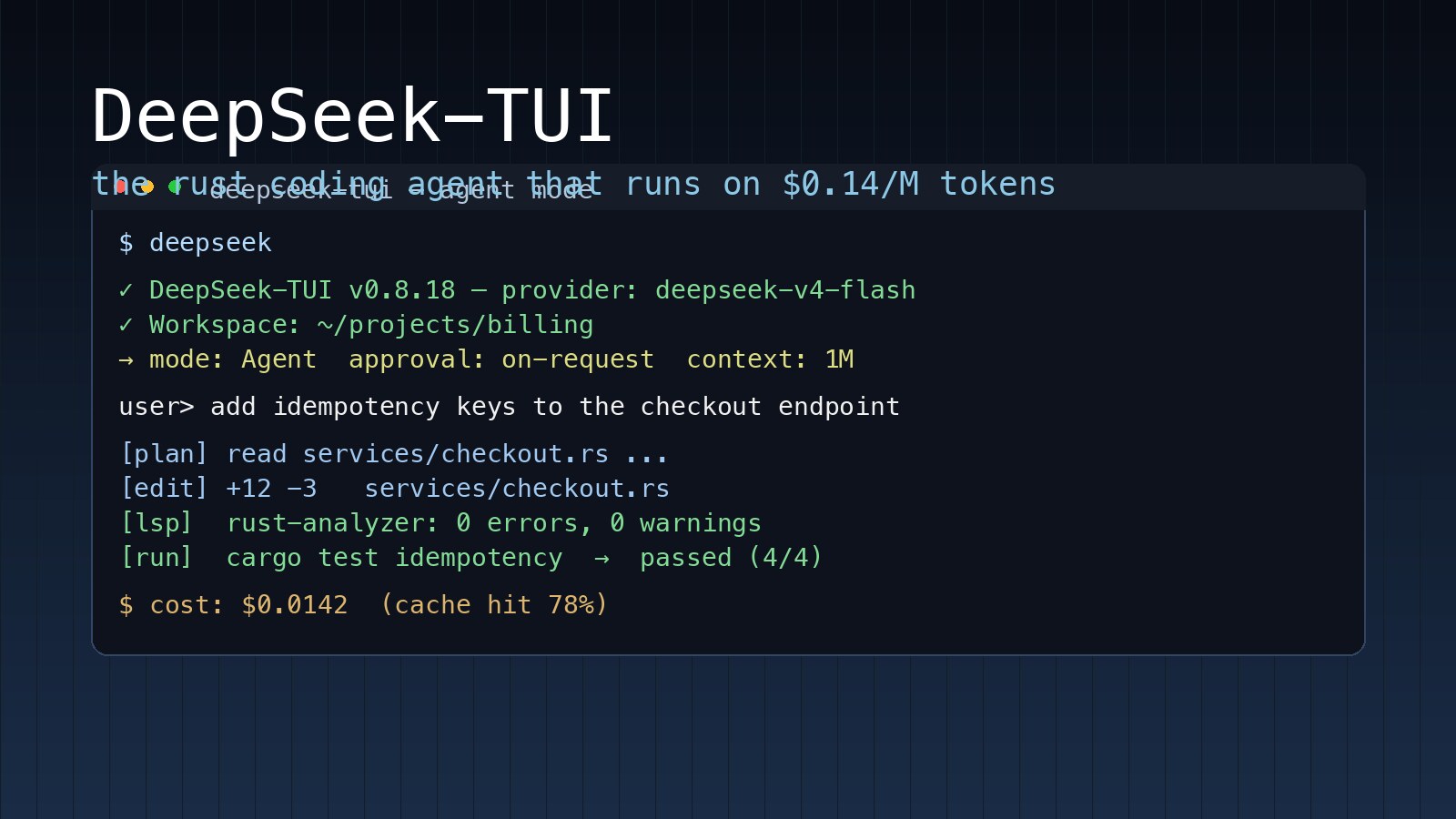
The repo wasn't even public a hundred days ago. On May 7, 2026, Hmbown/DeepSeek-TUI finished the day with 5,787 new GitHub stars — the single highest velocity on any repo we tracked this week, across any digest. Cybernews ran the story before lunch: an open-source clone of Claude Code, built on DeepSeek, has hit five thousand stars in a matter of days.
What's actually new here isn't another terminal coding agent — there are dozens. It's that DeepSeek V4 Flash now costs roughly one-twentieth of Claude Sonnet for input tokens, and a community has built a Rust-native, keyboard-driven harness that targets it specifically. The cost economics are different enough that we wrote a separate operational guide instead of folding it into a comparison post.
This article is the install-and-run path: get the binary on your machine, configure your DeepSeek API key, run your first agent session, debug the four most common errors, and figure out whether DeepSeek-TUI is the right harness for your workflow — or whether you should run it alongside Claude Code through a switcher like cc-switch. For the narrative side — why a parallel software stack is forming around DeepSeek and what the Hermes pairing implies — read the companion piece on AgentConn: DeepSeek-TUI + Hermes vs Claude Code: Anti-Anthropic Stack.

What you're actually installing
DeepSeek-TUI ships as two Rust binaries that work together: deepseek (the dispatcher CLI — handles auth, config, and session management) and deepseek-tui (the runtime that renders the terminal UI and runs the agent loop). The npm package is a thin downloader; at runtime there is no Node, no Python, no Electron. The whole thing is built on ratatui, the Rust terminal-UI library, which is why the keyboard latency feels closer to vim than to most JS-based agent tools.
make targets — while the runtime can ship breaking changes inside its own crate. Hunter Bown (the maintainer) has cut 37 releases since launch on January 19, 2026, and not one of them has broken the top-level deepseek command.The features that matter on day one:
- 1M-token context window, native to DeepSeek V4 — no sliding-window tricks, no summarization shims
- Three execution modes:
Plan(read-only exploration),Agent(interactive with approval gates),YOLO(auto-approve, for trusted workspaces) - First-party LSP integration — rust-analyzer, pyright, typescript-language-server, gopls, and clangd are wired in. After every file edit, diagnostics appear inline. Claude Code does not currently have an equivalent.
- RLM (Recursive Language Model) sub-agents — the parent session can fan out to cheap V4 Flash children for batched analysis, then fold the results back. This is the feature that drives DeepSeek-TUI's cost story; it is not a generic "spawn a sub-agent" call, it is tuned to V4 Flash pricing.
- MCP support — anything you've already wired into Claude Code or Codex via Model Context Protocol works here too
- Side-git workspace snapshots — every YOLO-mode change gets a rollback point you can restore without touching your real branch
Install path 1: npm (recommended for most)
The npm package is the canonical install. It is not a Node app — it is a postinstall script that downloads the right pair of platform binaries from the matching GitHub release and verifies a SHA-256 manifest before placing them on $PATH.
npm install -g deepseek-tui
deepseek --version
deepseek doctor
deepseek doctor runs a health check across binaries, network reachability to api.deepseek.com, and your config. If anything is off, it prints a JSON report you can paste into a GitHub issue. Run it before you run anything else — it has saved us at least three "is it me or is it the API" debugging sessions.
If you're behind a corporate proxy or in a region where GitHub releases are slow, override the download base URL:
export DEEPSEEK_TUI_RELEASE_BASE_URL=https://your-mirror.example.com
npm install -g deepseek-tui
The full set of install-time environment variables is documented in the official INSTALL.md, including DEEPSEEK_TUI_VERSION to pin a specific release and DEEPSEEK_TUI_OPTIONAL_INSTALL=1 to keep the install from hard-failing in offline CI.
Install path 2: cargo (for Rust developers)
If you've already got Rust 1.88+ on your machine, cargo install builds from source and avoids the prebuilt-binary download entirely:
cargo install deepseek-tui-cli --locked
cargo install deepseek-tui --locked
deepseek --version
You need both crates — the CLI and the TUI runtime are published separately. If you only install the first, you'll get a MISSING_COMPANION_BINARY error on first run. (This trips up about a third of the people opening issues; bookmark it.)
On Linux you'll also need the build prerequisites: sudo apt-get install -y build-essential pkg-config libdbus-1-dev.
Install path 3: Homebrew, Docker, manual download
For completeness:
# Homebrew (macOS, Linux)
brew tap Hmbown/deepseek-tui && brew install deepseek-tui

# Docker — useful for CI or sandboxed runs
docker run --rm -it -e DEEPSEEK_API_KEY -v "$PWD:/workspace" \
  ghcr.io/hmbown/deepseek-tui:latest

# Manual binary download (offline machines)
curl -L -o ~/.local/bin/deepseek \
  https://github.com/Hmbown/DeepSeek-TUI/releases/latest/download/deepseek-linux-arm64
chmod +x ~/.local/bin/deepseek
The Docker image is the fastest path if you already mistrust running an unfamiliar agent against your real shell — every shell command runs inside the container, every file edit is scoped to the mounted workspace, and you blow it away at the end of the session.
Configure your DeepSeek API key
You need an API key from DeepSeek's platform. The pricing as of this writing is $0.14 per million input tokens and $0.28 per million output tokens for V4 Flash, with a 75% discount on V4 Pro running through May 31, 2026. For comparison, Claude Opus 4.7 prices at $5/$25 per million — the V4 Flash run-rate is roughly 1/35× of Opus and 1/20× of Sonnet on parity workloads.

Original launch announcement on X →
The fastest auth path uses the dispatcher's interactive flow — it opens a browser tab, you paste your key, it lands in ~/.deepseek/config.toml with the right permissions:
deepseek auth set --provider deepseek
If you'd rather configure manually, drop a TOML file at ~/.deepseek/config.toml:
provider = "deepseek"
api_key = "sk-..."
default_text_model = "deepseek-v4-flash"
reasoning_effort = "medium"
approval_policy = "on-request"
sandbox_mode = "workspace-write"
max_subagents = 8
The full key reference lives in CONFIGURATION.md — the keys you'll touch most often:
reasoning_effort—off,low,medium,high, ormax. Higher values cost more output tokens but turn on V4's thinking-mode chain-of-thought. Defaultmediumis a fine starting point; bump tohighfor hard refactors.approval_policy—on-request(Claude Code-style),untrusted(approve only network and shell), ornever(full YOLO). Pair withsandbox_modefor two layers of safety.sandbox_mode—read-only,workspace-write(the default — restricts edits to the working tree), ordanger-full-access.max_subagents— concurrency limit for RLM calls. Default 10. Bump higher only if your DeepSeek account has the rate-limit headroom; otherwise you'll just queue.
Per-project overlays
The single setting that has paid for itself fastest in our use is the per-project overlay. Drop a .deepseek/config.toml inside any repo and it merges over your global config without modifying it:
# .deepseek/config.toml in a Python project
default_text_model = "deepseek-v4-pro"
reasoning_effort = "high"

[skills]
enabled_dirs = ["./skills/python-typing"]
This is how you tune the agent per-codebase without polluting your home config. Migration code? pro + high. Greenfield prototype? flash + low. The overlay applies the moment you cd into the directory and run deepseek.
Run your first session
cd ~/your-project
deepseek
You'll get a split-pane TUI: chat on the left, code preview / command history on the right, and a status line at the bottom showing the active model, mode, and a live cost estimate. The cost line is one of the small touches that betray the "built for V4 specifically" thesis — it tracks cache hits separately from cache misses, because V4's cached input tokens cost 1/10th of uncached ones, and the counter folds that in.
A keyboard-driven first run might look like:
- Press
?for the help overlay - Type
/mode planto start in read-only — let the agent map the codebase before touching anything - Ask:
summarize the architecture, then propose three places where dependency injection would simplify testing - When you like the plan, switch with
/mode agentand proceed step-by-step
The single most useful TUI shortcut is Ctrl+L, which compacts the conversation in place. Long-horizon agent sessions blow up context fast; compact early, compact often.
The four errors you will hit on first run
These are the four issues that account for ~70% of issues filed in the first week of usage, paraphrased from the GitHub issue tracker:
1. MISSING_COMPANION_BINARY — You installed via cargo and only got deepseek-tui-cli. Run cargo install deepseek-tui --locked to get the runtime. Both are required.
2. deepseek not found after npm install -g — The npm global bin is not in your $PATH. Run npm prefix -g and add $(npm prefix -g)/bin to your shell rc.
3. Unsupported architecture: arm64 — You're on a release older than v0.8.8. Either upgrade with npm install -g deepseek-tui@latest or use the cargo path.
4. Rate-limit errors mid-session — DeepSeek rate-limits aggressively if you run high max_subagents against a fresh account. Drop max_subagents to 4 in your config; the official agent integration docs confirm headroom comes with account age and usage.
When to use DeepSeek-TUI vs Claude Code vs cc-switch
The honest answer is "all three, depending on the task." DeepSeek-TUI is committed to DeepSeek V4 — its cost estimator is tuned to V4 pricing, its RLM sub-agent system fans out specifically to V4 Flash, and the prompt design assumes V4's chain-of-thought behavior. If V4 isn't your primary model, the harness has weaker leverage.

DeepSeek's official integration docs →
The decision matrix we've settled on:
| Task | Best harness | Why |
|---|---|---|
| High-stakes refactor / architectural review | Claude Code (Opus 4.7) | First-party LSP fading, but Opus reasoning still leads on long-horizon planning |
| Bulk implementation, test writing, codemod-style work | DeepSeek-TUI (V4 Flash) | RLM sub-agents fan out cheaply; cost stays bounded |
| Mixed workflow, multiple agents, shared MCP servers | cc-switch | One config syncs across Claude Code, Codex, OpenCode, openclaw, Gemini CLI |
| Investigation / planning before touching code | Either, in Plan mode | Read-only is read-only — model choice matters less here |
cc-switch is the meta-tool that ties the room together. The fact that it's currently trending on GitHub at 1,254 stars/day and explicitly names openclaw alongside Claude Code and Codex is a signal in itself — operators are running multiple agents in 2026, not picking one. We covered the rationale in Cut Claude Code Token Costs With rtk and the routing-shim alternative in DeepClaude: Run Claude Code on DeepSeek for 90% Less.
The local-inference companion: antirez/ds4
Worth a footnote because it's the second half of the story: antirez/ds4 is a Metal-specific local inference engine for V4 Flash that hit the Hacker News front page the same week DeepSeek-TUI broke trending. With 128GB of unified memory on a Mac Studio, you can run V4 Flash entirely locally and point DeepSeek-TUI at it via the ollama or generic OpenAI-compatible provider:
provider = "openai"
base_url = "http://localhost:11434/v1"
default_text_model = "deepseek-v4-flash-q2"
api_key = "not-required"

You give up V4 Pro and you give up RLM cost-efficiency (sub-agents become CPU-bound on your local hardware), but for the demographic running coding agents on a flight, this is genuinely usable now in a way it wasn't six months ago. Aran Komatsuzaki's tweet on the non-English tokenizer tax — Anthropic's tokenizer charging roughly 3.24× more than OpenAI on Hindi, 2.86× on Arabic, 1.71× on Chinese — makes the larger point about how the cost-economics conversation now has a regional dimension on top of the model-choice dimension.

What we'd watch next
DeepSeek-TUI is at v0.8.x. It's pre-1.0 software with a single primary maintainer, on a model whose API endpoints are not yet hardened the way Anthropic's are. We've seen rate-limit weirdness on Sundays and twice this month a cargo build broke against a transitive dep update. None of these are dealbreakers — they're the texture of running community-maintained tooling at the bleeding edge.
The interesting open question isn't whether DeepSeek-TUI ships v1.0 — it will. It's whether DeepSeek itself ships an official first-party CLI that obviates this work, the way OpenAI did with Codex and Anthropic did with Claude Code. The DeepSeek team has been unusually open about leaning on the community — official integration docs that name Claude Code, OpenClaw, and OpenCode as supported clients before any DeepSeek-branded harness exists. As of v0.8.18, Hmbown/DeepSeek-TUI is filling that vacuum, and the star velocity says the market is fine with that.
For now: install the binary, drop your API key in the config, and start the next session in Plan mode before going to Agent. That's the whole minimum-viable workflow. If V4 stays at $0.14 per million input tokens, the accountants will figure out the rest.
About ComputeLeap Team
The ComputeLeap editorial team covers AI tools, agents, and products — helping readers discover and use artificial intelligence to work smarter.
💬 Join the Discussion
Have thoughts on this article? Discuss it on your favorite platform:
Related Articles
Run GLM-5.2 Locally: The Open Model Nobody Can Ban
GLM-5.2 ships 744B params under MIT license. Here's the hardware you need, the quant that fits, and the setup for llama.cpp, Ollama, and LM Studio.
Cut Claude Code Token Costs 60-90% With rtk: Hands-On Guide
Stop dumping raw terminal output into Claude Code's context. rtk is a Rust CLI proxy that filters git, cargo, and npm output for 60-90% savings.
Chrome's Gemini Nano Prompt API: A Step-by-Step Guide
Enable the flag, call window.ai, stream from a 4GB local LLM. The full Chrome Prompt API setup with a hosted-API fallback for unsupported browsers.
The ComputeLeap Weekly
Get a weekly digest of the best AI infra writing — Claude Code, agent frameworks, deployment patterns. No fluff.
Weekly. Unsubscribe anytime.